There are many ways how to find a user's file. Here's several ways to do it
As root:
# find / -user username
Replace username with the user account name
# find / -uid 1000
Replace 1000 with the user id taken from the 3rd column of /etc/passwd like so
# cat /etc/passwd | grep username
This linux "find" command is really very powerful on searching a particular data from large harddisk capacity.
# man find
would give you find's man page.
Get Fedora

Tuesday, July 10, 2007
find the user's files howto


Monday, July 9, 2007
passphraseless + passwordless ssh howto
Hi. I am back.
After doing the passwordless ssh howtos, you just need a few steps away to also have a passphraseless + passwordless ssh connection.
Passphraseless and Passwordless SSH Howto
From the same local box mentioned from passwordless ssh, simply create a new rsa pair keys as root
# ssh-keygen -t rsa -b 1024
and overwrite the old rsa key file. Do not skip the passphrase this time. You need to enter your passphrase for 2 consecutive times. The output files are the same old files :
/root/.ssh/id_rsa
/root/.ssh/id_rsa.pub
and you need to transfer /root/.ssh/id_rsa.pub to same remote .ssh folder and save it as authorized_keys. The other way around is
FROM YOUR LOCAL BOX:
# cat /root/.ssh/id_rsa.pub
Using your mouse, right click and copy the last line that starts with ssh-rsa.
FROM REMOTE BOX:
Then from remote box, edit your existing authorized_keys under .ssh folder , and paste the
copied data into the last portion of the file.
BACK TO LOCAL BOX:
As root, issue
# ssh-add
and enter the passphrase you last used when you created the rsa pair keys .
Finally, close all ssh sessions and try out your new passwordless and passphraseless ssh setup.
Take note that, the below should be present with /etc/ssh/sshd_config
RSAAuthentication yes
if not, just enable it by changing
RSAAuthentication no
to
RSAAuthentication yes
and restart your ssh
/sbin/service sshd restart
HTH
passwordless ssh howto
Supposed you feel more convenient and hassle-free to ssh into your server box without being asked for any password. Below is an elaborated roll out of a passwordless ssh connection.
We would require 2 linux boxes here, referred to as remote box and a local box. And our objective here is to have a passwordless ssh connection from your local box into your remote box via ssh.
Let us start from the local box.
First, we need to generate a 1024-bit rsa key. We are going to use rsa key pairs here instead of dsa ones. We won't be using dsa unless rsa is not wokring. Simply issue this command as root
# ssh-keygen -t tsa -b 1024
By default, the output files of this command are
/root/.ssh/id_rsa
/root/.ssh/id_rsa.pub
You will be asked interactively when these files does exist. Additionally, we are not going to enter any passphrase for now, that means we are going to hit the enter key 2 times when asked as things would still work out right without the passphrase.
Below is sample CLI screen that you'll be seeing during the creation of the 1024 bit rsa pair keys.
[root@ver .ssh]# ssh-keygen -t rsa -b 1024
Generating public/private rsa key pair.
Enter file in which to save the key (/root/.ssh/id_rsa):
/root/.ssh/id_rsa already exists.
Overwrite (y/n)? y
Enter passphrase (empty for no passphrase):
Enter same passphrase again:
Your identification has been saved in /root/.ssh/id_rsa.
Your public key has been saved in /root/.ssh/id_rsa.pub.
The key fingerprint is:
0c:33:54:c4:47:4f:35:db:31:57:63:5b:a4:77:f2:43 root@yourdomain.com
I have not enter any passphrase as you can see.
Now, still from local box, establish ssh connection into your remote box. By default, this ssh connection would drop you automatically into your default path location, normally it would be /home/yourusername, and from there, NOT as root, create .ssh folder like so
yourusername@yourhost ~]$ mkdir .ssh
After that, type exit to close current ssh session with remote box.
Back to your local box, let us transfer the rsa key file /root/.ssh/id_rsa.pub into the .ssh folder we've just created from the remote box, like so:
AS ROOT FROM LOCAL BOX:
# cd /root/.ssh
# scp -C id_rsa.pub yourusername@yourremoteboxip:~yourusername/.ssh/authorized_keys
This would transfer the file /root/.ssh/id_rsa.pub into the remote box and saved it as authorized_keys done via ssh. The file would be dropped into your home folder owned by your own user account.
The easiest way to do it is by using ssh-copy-id :
# ssh-copy-id -i /root/scripts/id_rsa.pub your-username@yourdomainname.com
AS YOUR NORMAL USER ACCOUNT FROM REMOTE BOX DO:
# cd ~yourusername/.ssh
# chmod 600 authorized_keys
# chown yourusername:yourusername authorized_keys
Finally, close all your ssh connection and now try a password-less ssh with your remote box.
...works like magic!
X11 Forwarding via ssh howto
Get a graphical user interface remotely via ssh?
Here is a quick way on how to enable X11 forwarding with ssh. Make sure you have all the required ssh packages installed from your box. Or you can install it yourself by issuing
#yum install openssh-* -y
After successful installation from the remote box, launch you editor, edit /etc/ssh/sshd_config , look for the lines
X11Forwarding no
and change it to
X11Forwarding yes
then save. Additionally, check your /etc/ssh/ssh_config and confirm if it contains the below line
ForwardX11Trusted yes
Be warned and reminded to backup conf files before modifying them. Do restart your ssh service like so
# service sshd restart
Make sure the firewall settings from the remote box allows ssh connection from your own local box. I would not cover advance ssh restrictions here. However, one quick way of testing your remote ssh server settings is by doing so
# ssh USER@REMOTEIPBOX
Change USER with your username and REMOTEIPBOX with an IP address of your remote linux box. This assumes that your ssh is running at port 22 by default .
If your ssh attempt was successful, it basically means the ssh port is open and you are able to reach the remote box via ssh as a a client
Now, from the local box, test X11 forwarding by issuing
# ssh -X USER@REMOTELOCALIP
You will be logged in from the remote box. From there, issue
# gcalctool
nice! incase, this is the CLI command to launch your GUI calculator obviously, it should appear from your local linux box screen and not from the remote linux box. Take note that by default, sshd binds the forwarding server to the loopback address. You can verify this from /etc/ssh/sshd_config with
X11UseLocalhost yes
X11 SSH CONNECTION:
Incase you need to execute some direct commands, alternatively try the faster one-liner.
# ssh -X USER@REMOTELOCALIP gcalctool
It is highly advisable to restrict your ssh policies then for added security.
This could be an extra help if you wish to connect remotely with X11Forwarding from your local linux box to another out-of-network-broadcast window box behind a linux firewall via X11Forwarding .
PACKAGE VERIFICATION:
For added info, if you wish to know if you have successfully installed openssh package, you can query them by
# rpm -qa openssh*
which lists out installed openssh rpm packages like so
openssh-clients-XXX
openssh-XXX
openssh-server-XXX
Hope this helps.
skype install howto
Skype software allows you to make free calls (audio or video) on any Skype members and users, anywhere in the world. VOIP calling from your box using skype network can be done by simple ways.
Launch your editor, and create a new file named skype.repo under /etc/yum.repod.d and add these lines :
[skype]
name=Skype Repository
baseurl=http://download.skype.com/linux/repos/fedora/updates/i586/
gpgkey=http://www.skype.com/products/skype/linux/rpm-public-key.asc
and save. No need to restart, just issue as root:
# yum -y install skype
-y answer yes for all questions and dependency installation requirements.
or launch skype directly by CLI
# skype &
The shortcut menu is available under Applications > Internet ..
Note: The repo file could be updated and compared here http://fedorasolved.org/multimedia-solutions/skype.repo
Alternatively, you may go to Skype website here and find the linux version of Skype. Download the Fedora version here and install using rpm like so:
# rpm -ivh skype-1.4.0.74.rpm
And launch as usual, Ctrl+F2, skype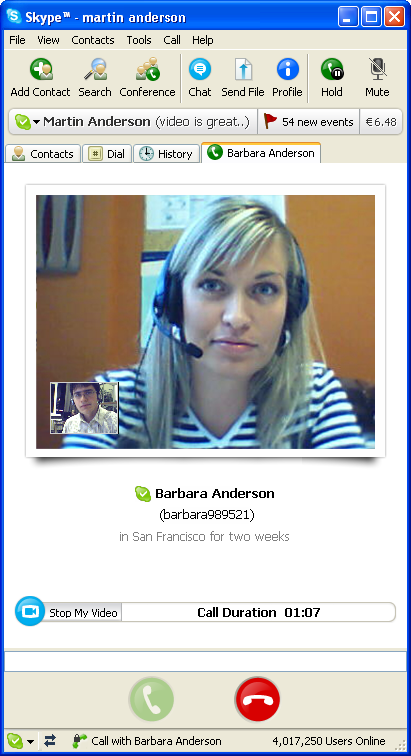
Good day ahead.
Sunday, July 8, 2007
disable IPv6
a lot of people are asking and complaining that basically they don't really require IPv6 services and trying to find out how can they permanently disable it.
here is a way to disable your IPv6 protocol implementation with redhat-based linux distro.
fire up your fave CLI editor and edit your /etc/sysconfig/network and make sure you have the below line negated like so
NETWORKING_IPV6=no
and save.
secondly, you have to edit /etc/modprobe.conf and append the following 2 lines
alias ipv6 no
alias net-pf-10 off
then save. make sure you also have your ip6tables (the ipv6 iptable version) be stopped and disabled during the next reboot. let us know first if the ip6tables daemon is currently running by doing
# /sbin/service ip6tables status
if its currently running, we need to stopped it from doing the service like so
# /sbin/service ip6tables stop
and disable it permanently like so
# /sbin/chkconfig --levels 345 ip6tables off
a reboot is required after doing all the these.
lsusb - list all USB devices
lsusb is a utility for displaying information about USB buses in the system and the devices connected to them. as we all know, USB-enabled devices make transfer more convenient and dirty-free attaching external devices such as digicams, videocams, mobiles, not like the goold old days of opening your CPU and finding that old sketched colored cable and finally attaching it to our needed external or new computer device.
basically, this commands simply list out all your currently connected USB devices, its corresponding bus and device ID and makes. If there is no USB devices plugged into your computer, it just lists out all your numbered USB ports.
You can get more details if your device was successfully detected using commands such as:
# lsusb -v
# cat /proc/bus/usb/devices
man says, lsusb are being supported only by linux kernel 2.3.15 or newer.
this is only only one of linux usb utilities
Saturday, July 7, 2007
make yum faster
here is a quick way of making your yum process and download needed files and software dependencies a little bit faster than the default setup. as we all know, yum one CLI way on adding, updating and removing sofwares for your box.
this plugin somehow chooses the nearest repo site based from your current location.
all you need to do is, execute as root:
# yum - y install yum-fastestmirror
works like champ!
this would also affect pup program as pup uses yum to process any software updates and installations.
cheers
lspci - list all PCI devices
troubled over a pci device? worry not, there is a simble but verbose way to see all your pci devices and further check if they are properly detected, incase they are not yet commercially supported by redhat. here are simple commands for it:
#lspci
#lspci -v
in case you were trying to reach and get support from hardware or commercial sites, these could be really useful if they have these info. i had an experience with HP engineers regarding my PCI slot not working and they require me to send these details one time.
it is the same command doing
# cat /proc/bus/pci/devices
but in a more human readable fashion. some linux commands are really simple but comes in handy when you really needed one.
cheers
Friday, July 6, 2007
kill a process
have you seen a defuncting daemon service or linux command just sitting around the user space and wasting your memory resources?
one alternative way to kill a pid process is using linux kill command, this comes in handy specially doing it from a utility test bed server for evaluating a certain open source package or linux applications.
let us say, that you want to kill a defuncting program named dovecot. the PID (pid ID), as blogged before, should be identified. Let us identify the said daemonized service of dovecot by issuing
#pidof dovecot
The above would return you a numeric values unless the program is not running, same goes with
#ps axuw | grep dovecot
If you see more numeric values, it must be children spawned by the daemon service. These values should be killed as well.
#kill -9 NUMERICVALUE
should easily terminate a pid with a value of NUMERICVALUE .
There was an instance during old days that a certain defuncting and unstable program hogs down system resources unnoticeably more likely due to memory leaks or unchecked buffer flows.
Thursday, July 5, 2007
beginners CLI guide for static ip address
here are different ways of putting static ip with linux. assuming the system has a properly connected RJ-45 network cable with a working well broadcasting NIC card, using any of the 21 redhat-based linux distro with reference here
if you would like to have an ip address of 192.168.2.221 for eth0 without any default gateway, as root from CLI, simply issue any of the below commands:
# ifconfig eth0 192.168.2.221 up
optionally combined with:
# route add -net 192.168.2.0 netmask 255.255.255.0 eth0
another sets are:
# ifconfig eth0 192.168.2.221 netmask 255.255.255.0
# ifconfig eth0 192.168.2.221 netmask 255.255.255.0 up
by default, it would put the ip address and make the NIC operational without any issues to kernel drivers.
an alternative way is using static eth0 config file. you could launch your fave CLI editor, edit /etc/sysconfig/network/network-scripts/eth0 and paste the ff:
~~~~~~~~~~~~~~~~~~~~~~~~~~~~~
DEVICE=eth0
BOOTPROTO=none
BROADCAST=192.168.2.0
IPADDR=192.168.2.221
NETMASK=255.255.255.0
NETWORK=192.168.2.0
ONBOOT=yes
TYPE=Ethernet
~~~~~~~~~~~~~~~~~~~~~~~~~~~~~
and remember to restart the NIC service to take effect like so
#/sbin/service network restart
IP ADDRESS VERIFICATION:
to see your current IP address settings from CLI, just issue any of the below commands from root:
#ifconfig
#ifconfig eth0
#ip address
DEFAULT GATEWAY:
supposed that your default gateway is 192.168.2.1, just issue
#route add default gw 192.168.2.1
or the oldest way around - by editing the static config file /etc/sysconfig/network and making sure it contains following line
GATEWAY=192.168.2.1
then restart your NIC (network) service again
/sbin/service network restart
ROUTE VERIFICATION:
#route -n
#netstat -arn
#ip route show
RECEIVING/SENDING VERIFICATION:
you should be able to see your default route IP address from the very last line of your screen. and by doing so
#ping 192.168.2.1
would confirm that your gateway is reachable at this point.
overall, we could just issue altogether like
#ifconfig eth0 192.168.2.221 netmask 255.255.255.0 default 192.168.2.1 up
and ping the router from the host.
***Note that doing the CLI command is not a permanent state after reboot.
DISABLING ETHERNET/NETWORK FUNCTIONS:
these are your alternatives then
#ifup eth0
#ifdown eth0
#/sbin/service network stop
at any time, you may replace eth0 with eth1 or such. that goes the same with ip address and default gateway.
if you are having problems with your NIC for negotiation problems, link status and/or you might want to change your ethernet card settings, try
# ethtool eth0
If your gateway is supposed to forward your packets to the internet, you could check if your box can reach the internet without any further DNS setup, this can be done by pinging an IP address located from WWW like
#ping 198.6.1.2
the pidof command
Pidof finds the process id’s (pids) of the named programs. It prints those id’s on the standard output.
In rpm-based linux distros, executing this combined with a daemonized service would give you a result in numeric form, which is the process id of the named program.
Usefulness?
This could be handy trying to find a specific PID ID of a multihomed full blown production server currently serving a lot of daemonized service besides from doing the grep linux command.
Another way is integrating and calling it from shell script that regularly checks a particular daemon service on regular cron basis say every 5 minutes making sure the service is alive.
I heard stories of daemon service being killed and died due to brute force attack.
One reason is, you might have a newly recruit junior sysad that accidentally for whatever reason killed and tampered that PIDs and suddenly got confused on how to fire it up again. This entry can be an extra linux reminder for that.
And lastly, this keeps you away from midnight phone calls and from standing up late at night just to start a servoce from a newly configured production server for yet an unknown cause. One of my buddies serving almost 2,000 servers had crash issues with a daemons and currently still and *unresolved ticket number from their commercial distro provider.
Here, a basic example of integrating it from a bash script which then checks for dovecot service.
check_dovecot.sh
~~~~~~~~~~~~~~~~~~~~~~~~~~~~~~~~~~~~~~~~~~~~~~~~~~~~~~~~~~~~~~~~~~~~~~~~~~~~~~
#! /bin/bash
PATH=/usr/bin:/bin
export PATH
date=`date "+%A %m-%d-%Y %r"`
# script to check dovecot
num=1
ayos=`/sbin/pidof dovecot`
if [ $dovecotid > 0 ]; then
exit 0
fi
if [ $num = 1 ]; then
echo Dead...Starting Dovecot...
/sbin/service dovecot restart
echo "Restarted at $date" | mail -s "MyServer Dovecot RESTARTED" youralertemail@yourdomain.com
else
echo Dovecot is alive!
fi
exit 0
~~~~~~~~~~~~~~~~~~~~~~~~~~~~~~~~~~~~~~~~~~~~~~~~~~~~~~~~~~~~~~~~~~~~~~~~~~~~~~~
combined with cronjob as
5,10,15,20,25,30,35,40,45,50,55 * * * * YOURPATH/check_dovecot >/dev/null 2>&1
or
/5 * * * * YOURPATH/check_dovecot >/dev/null 2>&1
which does the same cron job of executing the script every 5 minutes.
FYI, expanding more of this script in parallel with another clone server would create you a this known heartbeat opensource program that deals basically with waking up backup service/servers.
hope this helps.
Tuesday, July 3, 2007
retrieve data from mysql using bash script
Besides from using perl scripts, phpmyadmin and customized php pages, here is a quick way to fetch data from mysql database using shell script.
Just make sure you are currently running mysql from your box with existing database and table inside.
First, launch your favorite linux editor and create a bash script and paste the following bash codes inside and save.
~~~~~~~~~~~~~~~~~~~~~~~~~~~~~~~~~~~~~~~~~~~~~~~~
#!/bin/bash
# july 03 2007 - vertito
# this script retrieves data from mysql using bash
dbase=`mysql -uMYSQLUSENAME -pMYSQLPASSWORD -e"use MYDATABASE; select * from MYTABLE where id = 1;"`
for data in $dbase ;
do
echo $data
done
echo Done.
~~~~~~~~~~~~~~~~~~~~~~~~~~~~~~~~~~~~~~~~~~~~~~~~
#chmod 700 yourscript.sh
#./yourscript.sh
works like a charm!
Dont forget to change the following wordings:
MYSQLUSERNAME = your mysql username access with your mysql server
MYSQLPASSWORD = your mysql password
MYDATABASE = your running mysql database name
MYTABLE = your selected table name
works like a charm.
VirtualBox install howto
From x86 box, simply issue as root:
# yum install VirtualBox.i586 -y
Make sure you have the latest yum package. and after your successful installation, do issue
# /etc/init.d/vboxdrv setup
no need to reboot. You can find the binary from
Application > System Tools > click innotek VirtualBox
Clicking New would launch a wizard that would enable you to create a virtual machine for your VirtualBox. Enter a virtual machine name that correspond to OS type you have and choose the OS type you want to make use with this virtual machine.
The next step would bring you to memory allocation. The larger base memory you allocate to it, the faster the virtual box host would be. Somehow, your current desktop would be affected if you leave the area of the currently running virtual machine.
The next process would be creating a virtual harddisk. Highly advisable is a fixed virtual harddisk due to limited storage capacity. That's it and you're done.
If you have a flat ISO image from your hard disk and you want to boot from it, simply select your newly created virtual machine, click Settings from one of the VirtualBox button menus, choose CD/DVD and make sure you ticked the Mount option and ISO image file. Finally, point and browse it into your ISO image file. You can optionally remove mounting floppy, audio, USB if you're sure you won't be needing this from this virtual session as you would be able to mount it back the next time around.
Below is a screenshot of my virtual machines in parallel running CentOS 5 OS and Fedora 7 OS under Fedora 7, works like a champ!
call bash script inside php web page
here is a simple way to call a simple bash script inside php script page and have a return value printed to your web page.
below is a simple bash script called
php.sh
#!/bin/bash
echo "Successful call from PHP : "
exit 0
chmod 700 so it would be root executable, and saved it to your apache root folder say /var/www/html/
and here's a simple browseable php script called
test.php
$program = "/var/www/html/php.sh";
$ver1 = system($program, $retval);
if ($retval == 0 ) {
echo "Returned 0";
}
else {
echo "Returned not zero";
}
die;
?>
saved to same root location where your php.sh currently resides.
If you browse the page test.php, it would have a return value spitted out by php.sh bash script into test.php web page.
There are moments from a page that you need to call a server side script and linux tool to determine and know something first (return value) before proceeding to next set of php commands, this would be expanded and could really be helpful if you do php coding as well.
hope this helps
alternative linux browsers
currently, there are several linux-based browser running under most linux distros.
here are few of then:
firefox / mozilla - http://www.mozilla.com/en-US/firefox/
opera - http://www.opera.com/download/index.dml?platform=linux
netscape - ftp://ftp.netscape.com/pub/netscape7/english/7.1/unix/linux22/sea/
dillo - http://www.dillo.org/
and for fast alternative text-based browsers:
elinks
lynx
links
and non-interactive web browser:
wget
curl
There are may ways how these tools can be beneficial. Say, we need to download
an image from web and send it to our email box on daily basis. Making use of linux crontab for scheduling this kind of daily job would be nice like so:
30 08 * * * cd /root/scripts ; rm -rf pic_pag00.jpg; wget -c "http://images.inq7.net/img/thumbnails/new/hea/pag/img/pic_pag00.jpg" ; echo "INQ7" | mutt -s "INQ7 front page" -a /root/scripts/pic_pag00.jpg
Explained:
30 08 = this cronjob should be executed exactly 8:30AM
cd /root/scripts = cd to this /root/scripts folder when cronjob starts
rm -rf pic_pag00.jpg = deletes this file from current path location regardless if it exists or not
wget -c "http://images.inq7.net/img/thumbnails/new/hea/pag/img/pic_pag00.jpg" = download the same new pix pic_pag00.jpg non-interactively and save it with the same filename to current path location,
then finally
echo "INQ7" | mutt -s "INQ7 front page" -a /root/scripts/pic_pag00.jpg youremail@domain.com = created an email with subject name "INQ7 front page", attaches pic_pag00.jpg as email attachment with email body of "INQ7" and sends it back to your email box - works like a charm.
Alternatively, you can browse and dump a specific site so you can view it on daily basis from your MUAs or mail user agent like outlook, eudora, thunderbird, like so:
01 07 * * * lynx -dump www.google.com > google.txt ; echo "Google dumped" | mutt -s "Google dumped" -a google.txt you@here.com
The above would be executed exactly 7:01AM , browse and dump the URL, save it as google.txt file, attaches the file and sends it right away to your email box.
How about checking for new download files
33 01 30 * * wget -c www.google.com/files.rpm; echo "Google file" | mutt -s "Google dumped" -a files.rpm you@here.com
Exactly 1:30AM exeucted every 30th day of the month, browse and dumps www.google.com/files.rpm file, attaches to email composition and sends it to your email box.
Well, combine it from server side script, like compare it to previous download file, if there is difference, emails you to inform you that there is a new version of that file.
Handy.
last / currently logged in users
here are several ways of knowing the last logged in users from your box. most of them shows similar details like username, date stamp, hostname, ip address and the like:
Individually issuing them as root :
#last -a
#lastb -a
#lastb username
#lastb
#lastb username
#lastlog
So, who is currently logged in?
#who
#who -a
#w
Some dirty roots:
#ps axuw | grep bash
#ps axuw | grep bash | awk '{print $1}'
(since by default the default drop shell is bash)
Sideslide, if you have freeradius currently running, the below will show you the currently authenticated users from freeradius:
#radwho -r
#radwho
Who are you?
#whoami
cheers
google earth install howto
Here's a very simple, quick and easy way for installing google earth under linux.
First, download google earth binary file like so:
# wget -c http://dl.google.com/earth/client/current/GoogleEarthLinux.bin
This would fetch the binary file and save it to your current location. It would take some time specially if you are using a dialup connection, so take a break and come back later.
Be sure to check out their download page here.
...
Welcome back!
Now that you have downloaded the file, make sure to make it it as root executable by doing so:
# chmod 700 GoogleEarthLinux.bin
And execute it:
#./GoogleEarthLinux.bin
as usual, press Forward (Next) to continue and finish installation procedures.
Some CLI outputs:
~~~~~~~~~~~~~~~~~~~~~~~~~~~~~~~~~~~~~~~~~~~~~~~~~~~~~~~~~~~~~~~~~~~~~~~~~~~~~~~~~~~~~
Verifying archive integrity... All good.
Uncompressing Google Earth for GNU/Linux 4.1.7076.4458..........................................................................
Installing mimetypes...
Installing desktop menu entries...
Installing desktop icon...
..
(truncated)
~~~~~~~~~~~~~~~~~~~~~~~~~~~~~~~~~~~~~~~~~~~~~~~~~~~~~~~~~~~~~~~~~~~~~~~~~~~~~~~~~~~~~
Just give it some time to connect...
To relaunch from X, do it from Application > Internet and look for GoogleEarth/
Hope this helps.
Monday, July 2, 2007
Yet another linux sysad blog around the web
Yet another linux sysad blog where more likely more share-it workaround tips, mini-howtos, shortcuts, reviews, refreshes and recalls of some approach on linux setup and installations, server scripting, linux applications and configuration, sysad maintenance, troubleshootings, and more of command line syntax CLI syntax would be blogged and shared.
read more | digg story
/etc/nologin
This command politely refuses any login or authentication attempt. Could be helpful when you are trying to accomplish something or do stuff from the server while restricting login attempts. And doing this, any message inside this file could be possibly shown to any user with current connection attempts.
If /etc/nologin does exists, any attempts even popping out your emails, ssh connections, or webmail logins are completely denied. Just make sure you don't logout from that server after issuing this command remotely or you have an active multiple ssh connections remotely to your server when you issue this command! If all fails, it would require direct physical access with your next ssh logins or tell someone to reboot the production server for you, which is bad.
Upon reboot, linux deletes this file automatically.
Sample:
#cat /etc/nologin
~~~~~~~~~~~~~~~~~~~~~~~~~~~~~~~~~~~~~~~~~~~~~~~~~~~~~
Any connection and authentication attempts are being
denied for now due to module authentication upgrade.
Please try back later after a few minutes. Thank you
~~~~~~~~~~~~~~~~~~~~~~~~~~~~~~~~~~~~~~~~~~~~~~~~~~~~~
ss - an alternative to netstat
ss is used to dump socket statistics. It shows information similar to netstat. And It can display more TCP information than state than other tools .
As root, just issue:
#ss
This would you show you listening/established/past/ongoing connections with details such as IP address, sockets, protocol types, port numbers and some received/sent stats:
#ss -a
shows you more details.
#ss -h
helps you out ofcourse.
find / delete files owned by user / group
Here are alternative ways to find files owned by a user or certain group. Incase a person resigned, just incase you would need to backup or delete all files owned by that specific user or group not located from his own folder. Remember to do this using the super duper linux root user, however you need to have extra care as some commands could be irreversible!
If looking for files owned by a user, we need to know the user's UID/GID by looking at password file
# cat /etc/passwd | grep USERNAME
Make sure this spits out a one liner for that specific user, if not, try do restrict the filter or do an exact match.
See my own result:
vertito:x:512:513::/home/vertito:/bin/false
Jot down the UID field which is 512 and the group field which is 513, you would use it later.
Now, begin search from root location if you want to search from the root, you can change that in any way like /home instead of / .
#find / -uid 512
To look for the files owned by that group
#find / -gid 513
Lastly, combine them with any linux command that you want to do with those resulting files or even an input field for a bash script. Be warned again that this could be irreversible!
Let's say I want to see them first:
#find / -gid 513 -exec ls -la {} \;
Now, let us delete these files owned by that user:
#find / -uid 512 -exec rm -rf {} \;
If you want to delete those files owned by that group id:
#find / -gid 513 -exec rm -rf {} \;
For verification, you can issue your first search commands again if they are really deleted.
That's it.
uptime
here's a quick way to tell how long your system has been running, using root, just issue:
#uptime
would show you more likely this output:
08:02:46 up 66 days, 58 min, 2 users, load average: 0.10, 0.11, 0.03
this is the same information of the first output line from issuing
#w
fields:
1 - current date and time
2 - uptime in days + hours + minutes
3 - number of currently logged in users
5.- your current load average stats
You can graph these number using tools like Cacti, MRTG or more.
See more with uptime.netcraft.com
Sunday, July 1, 2007
yet another linux sysad blog
hurray!
now officially migrated and upgraded to a hopefully more time consuming yet-another sysad linux blog spot :) some new desktop and dashboard changes were done, and some not bad side skiddos for more.
happy sunday!
TAG:
Technorati Profile
Tuesday, June 26, 2007
what's new F7
..create your own distro
...recompile and use only what you need for specifics
.....pe part of open community.
What’s new in Fedora™ 7 (besides a shortened name)? Just a few important things:
* No more division: Fedora Core and Extras have been combined into one seamless software universe.
* We’ve entered the era of the remix. If you don’t like our Fedora you can make your own.
Watch the video. You’ll see what we mean.
And when you’re done, get your copy of Fedora 7 via Bittorrent at torrent.fedoraproject.org.
see it for yourself:
cheers
Monday, June 25, 2007
install livna repo howto
Under F7, here is how to install livna repo for your yum
#yum install http://rpm.livna.org/livna-release-7.rpm
*Livna provides binary ready packages for F7 which *might contain non-free ready binary packages for F7.
This was my temporary solution while I await for Chikka (TM) binaries for linux to be on production state :( so I might as well choose the java applet alternative using.
F7 - Fedora 7
The previous was Fedora Core 6, now they call it F7 - Fedora 7 which was released last May 31, 2007. I actually waited 4 days before I start downloading.
Yes, I have successfully downloaded a DVD ISO image. And happy to have my first captured desktop image after a 3rd reboot of a fully functional F7 powered desktop. See image below:
Here is my original xorg.conf:
Have played installing it via CDROM, via VMware, via VirtuaBox, from network, from shared NFS, from FTP and HTTP , most of all, handsfree installation via anaconda kickstart, just to play for a while. And the experience was awesome ! Having played Fedora Core 1 up to Fedora Core 6 - Fedora 7 was THE most furnished of them all. Well done F7 guys, keep moving up!Section "ServerLayout"
Identifier "Default Layout"
Screen 0 "Screen0" 0 0
InputDevice "Keyboard0" "CoreKeyboard"
EndSection
Section "InputDevice"
Identifier "Keyboard0"
Driver "kbd"
Option "XkbModel" "pc101"
Option "XkbLayout" "us"
EndSection
Section "Device"
Identifier "Videocard0"
Driver "i810"
EndSection
Section "Screen"
Identifier "Screen0"
Device "Videocard0"
DefaultDepth 24
SubSection "Display"
Viewport 0 0
Depth 24
EndSubSection
EndSection
Distrowatch shows Fedora is still #3 from linux world, not bad. Well, nobody yet is willing to sponsor and distribute free CDs/DVDs worldwide from linux distros except Ubuntu.
With F7, you get the latest and bleeding-edge apps versions including zero-day bug patch right away. Such as the more secure SELinux which was production tested with F7 before any known linux distro. Another one was Fedora Directory server and more - compared to all linux distros, new ones would surely follow then.
Well, keep it up.
**It has been a while since my last posting dated Dec 2006, my apologies - I was blog-idle but not PID-defunct yet so here I am, blogging back. Oh, I was suprised to know that I had nice unique hits in more than 20 counties worldwide. Thanks peeps.
My current uptime is 33 days without desktop reboot, I am not sure if I can break my 285 days uptime again. Power source problem... :(
cheers
Thursday, December 28, 2006
FOSS Act of 2006
HOUSE OF REPRESENTATIVES
Quezon City
THIRTEENTH CONGRESS
Third Regular Session
HOUSE BILL NO. 5769
Introduced by Representative Teodoro A. Casiño
EXPLANATORY NOTE
A spectre is haunting the global software giants – the spectre of Free/Open Source Software (FOSS).
Once considered the realm of geeks, computer experts and cyberspace activists, FOSS is now steadily gaining ground among a broad range of information and communications technology (ICT) consumers – from home users and barangay, schools to large corporate enterprises – who are looking for alternatives to the expensive, overbearing and restrictive products of proprietary software monopolies like Microsoft, Unix, and Adobe, among others.
Unlike proprietary software, FOSS is cheap (in fact, most FOSS are distributed gratis to the public by their own developers and can be freely distributed), flexible and development-friendly (FOSS source codes are accessible to consumers who may study, modify and customize the software), interoperable (FOSS adhere to open standards and are meant to work across various platforms and protocols) and safe (the opening of the source codes and the use of open standards have allowed hundreds of thousands of users around the globe to serve as a virtual research and development team, providing patches and solutions to bugs and glitches in real time over the internet).
Today, most widely-used proprietary software have equivalent FOSS which are cheaper, safer and more robust. This is why the use of FOSS is steadily gaining ground in many countries in Europe, North America, Latin America and Asia.
FOSS gives software users freedom – the freedom to run the program in any way one wishes, to study and modify its source codes, to make copies and distribute them as one wishes, and to redistribute the said program.
An apparent benefit of FOSS is its low cost. Giant chip maker Intel reportedly saved $200 million for switching their servers from proprietary UNIX software to open GNU/Linux software, while Amazon reported a US$17 million savings for migrating from Microsoft to GNU/Linux.
Many organizations and several studies have shown that using FOSS in lieu of proprietary software results in significant cost savings of anywhere from 15% to 35% over a span of three years not only due to lower licensing costs but lower personnel and hardware costs.
A study produced by the International Open Source Network (IOSN) and United Nations Development Program – Asia-Pacific Development Information Programme have identified the following strategic benefits of FOSS: (1) Developing local capacity/industry; (2) Reducing imports/conserving foreign exchange; (3) Enhancing national security; (4) Reducing copyright infringements; (5) Enabling localization.
The study also identified economic benefits as: (1) Increasing competition; (2) Reducing total cost of ownership; (3) Enhancing security; (4) Achieving vendor independence.
Add to this the social benefit of increasing access to information, promoting citizens’ knowledge about software and software techniques, encouraging cooperation among the citizenry, and providing the public with democratic control over the software that it uses.
In fact, the viability and advantages of FOSS has not been lost on us Filipinos. The Advanced Science and Technology Institute of the Department of Science and Technology (ASTI-DOST) has developed the Bayanihan Linux 4, a complete desktop solution for office and school use based on GNU/Linux, and Bayanihan Linux Server 2006, an easy-to-use GNU/Linux server for government agencies, schools and SMEs. These Bayanihan Linux programs can do everything that Microsoft Windows can do, except drain one’s pockets, mainly because they are distributed by their developers for free.
Exist, a 100%-owned Filipino open-source software company, was recently awarded the prestigious Red Herring award for the top 100 start-up technology companies. This is proof that given the opportunity and proper support, Filipino companies can be a major supplier in the growing global FOSS market.
This bill, which mandates the use of FOSS in all government agencies and which encourages the use and development of FOSS in the private and public sectors, will benefit the Philippines by: (1) Guarding the people’s tight to access public informations (2) Lowering the overall cost of ICT in the public and private sectors by reducing the country’s dependence on proprietary software and computer applications; (3) Making IT more accessible to a greater number of users; (4) Unlocking the potential and encouraging the development of a self-reliant, genuinely Filipino IT industry; and, (5) Providing greater security for highly sensitive government and private information systems.
IN VIEW OF THE FOREGOING, passage of the bill is earnestly urged.
REP. TEODORO A. CASIÑO Party-list Bayan Muna
Republic of the Philippines
HOUSE OF REPRESENTATIVES
Quezon City
THIRTEENTH CONGRESS
Third Regular Session
HOUSE BILL NO. 5769
Introduced by Representative Teodoro A. Casiño
AN ACT
PROMOTING THE DEVELOPMENT AND USE OF FREE/OPEN SOURCE SOFTWARE (FOSS) IN THE PHILIPPINES, AMENDING RA 3019 OTHERWISE KNOWN AS THE “INTELLECTUAL PROPERTY CODE OF THE PHILIPPINES”, PROVIDING PENALTIES THEREOF, AND FOR OTHER PURPOSES
Be it enacted by the Senate and House of Representatives of the Philippines in Congress assembled:
SECTION 1. Short Title – This Act shall be known as the “Free/Open Source Software (FOSS) Act of 2006”.
SECTION 2. Declaration of Policy - In lieu of Section 24 of Article II of the Constitution which declares that, “The State recognizes the vital role of communication and information in nation building”, and recognizing the wide discrepancy between the technologies of developing countries and advanced countries; realizing the economic limitations in the information technology (IT) of developing countries, especially on the viability of purchasing and implementing expensive software solutions; aware of the relatively slow diffusion of technology between the developed and developing countries; it is hereby declared a policy of the State to:
Ensure self-reliance of the State in technology and technology capabilities, in accordance to Article XIV, Sec. 10 of the Constitution by ensuring the State has access to source codes and power over its computing ;
Strengthen access of the public to information and government data in accordance with Article III, Section 7 of the Constitution by mandating the use of open standards in government hence ensuring the interoperability of data and government communication;
Promote the preferential use of domestic material and Filipino labor in information communications technology, in accordance with Art XII, Sec. 12 of the Constitution;
Adopt mechanisms to ensure fiscal discipline in the purchase of software without compromising the state’s security and the stability and robustness of the country’s ICT infrastructure; and,
Develop Filipino professionals and scientists in the field of software technology and ICT by promoting the use and purchase of free/open source software, in accordance to Article XII, Sec. 14 of the Constitution.
SECTION 3. Definition of Terms – as used in this bill, the following terms and phrases shall mean:
FOSS License – any license and/or end-u
ser agreement that ensures free access and redistribution to free/open source software, the licenses of which are generally approved by an internationally renowned FOSS advocate body
Source code – the set of human readable instructions and statements written by the programmer using a particular programming language, including the modules, components of the executable program, and any interface definition files and scripts used to compile and install a program.
Interoperability – the ability of information systems to operate in conjunction with each other encompassing protocols, hardware software, application, and data compatibility layers. In particular, it is the ability of different types of computers, networks, operating systems, and applications to work together effectively, without prior communication, in order to exchange information in a useful and meaningful manner.
Total Cost of Ownership (TCO) – covers all the costs involved in a technology or business solution, including the initial investment cost and maintenance, support, replacement, training and upgrade costs.
Government – includes the three separate branches of government and all departments, bureaus, offices and agencies operating under each separate branch of government, including schools and government-owned and-controlled corporations.
SECTION 4. Open Standards so defined – Open Standards are standards, protocols, specifications and, any other data formats made available to the general public and are developed, approved and maintained via a public, collaborative, transparent and consensus-driven process. In addition, open standards must meet all of the following criteria:
The adoption and development of the standard included the consideration of and response to comments by interested parties and occurs on the basis of an open decision-making procedure available to all;
The standard has been published and the document published is available freely. It must be permissible for all to copy, distribute and use it for no fee at all;
The standard is affirmed by an international standards development organization (SDO) or, in the absence of such affirmation, at least by an SDO commissioned by the government;
The standard is vendor neutral and allows for sufficient development of a variety of competing implementation of interoperable products or services; and,
There are no constraints on the re-use of the standard.
SECTION 5. Free/Open Source Software (FOSS) so defined – Free/Open Source Software (FOSS) are software that meets all of the following criteria:
The source code of the software, including the source code for such other parts and components needed to compile and install the software shall be readily available and accessible;
The license to use the program does not restrict nor require fees such as royalties from anyone to redistribute, in any way, the program as part of an aggregate software distribution or solution containing other programs from several other sources;
The license must allow modifications and derived works which, as specified in Section 4.2 of this Act, must allow for redistribution without additional charges;
The license to use must not discriminate against persons nor a specific group of persons;
The license of the program shall not be restricted to it being part of a particular software distribution, hence, individual components of an aggregate solution can be modified and redistributed in accordance to Sections 4.2 and 4.3 of this Act;
A software license must not restrict other software from being used as part or in cooperation with the FOSS. Hence, the license of the open source software can be used in conjuncture with proprietary software; and,
The license must be technology neutral. No foreseeable/deliberate restrictions should be placed regarding the use of the software in any platform, or for any purpose;
SECTION 6. Legal Recognition of FOSS – The government shall recognize the validity and legitimacy of FOSS and FOSS licenses, subject to the provisions of existing laws, rules and regulations.
SECTION 7. Government Rules and Policies on the Use and Adoption of open Standards and FOSS in government
Use of Open Standards – The Government shall use only ICT goods and services that comply with open standards as defined in section 4 of this Act;
Open Formats – all government communication and data intended for public consumption shall be encoded in open standard data formats;
Clarification on the Use of RAND License for Open Standards – open standards licensed under “Reasonable and Non-Discriminatory” (RAND) terms and hence are not free but are available for a reasonable fee shall be used only under extraordinary circumstances as defined in section 7.5 of this Act.
Use of FOSS – The government shall apply only FOSS or FOSS solutions, as defined in section 5 of this Act, in all ICT projects and activities;
Extraordinary Circumstances – The following are extraordinary circumstances which may exempt government from using open standards and FOSS:
Where there is no reasonably available ICT good or services supporting open standards and/or FOSS in the field, area or activity that the Government intends to enter or participate; or,
Where a particular government agency or office has an existing, widely-used and widely implemented proprietary ICT system and there are no reasonably available technology using open standards and/or FOSS that can be used with the said proprietary system.
Determination of Extraordinary Circumstances – The CICT, through the Office of FOSS Migration created under section 17 of this Act shall determine, through a public hearing, whether there exists extraordinary circumstances that will exempt a government agency or project from sections 7.1 to 7.4 of this Act.
Limitations of Proprietary Standards and Software in Government Use – Should there exist extraordinary circumstances as enumerated in Section 7.5, the government may use proprietary standards and software subject to the following conditions:
The state shall procure, purchase or acquire only ICT goods and services that are interoperable and scalable with open standards;
The state shall procure, purchase or acquire available software that offers license most similar to FOSS as defined in Section 4 of this Act; and,
Open standards and FOSS will be selected and given preference when existing systems are to be retired or need major enhancements.
SECTION 8. Adoption of FOSS policy in Government Research and Development – All government programs must adhere to open standards and must execute, run or compile in FOSS platforms. All software developed by government must be FOSS and open standards compliant except in exigent circumstances where national security may be in peril, or in such other cases where the right to freedom to public information are reasonably controlled as provided for by law.
In case of exigent circumstances, government shall release under a FOSS license for public consumption said software, system and ICT goods and services when it is to be retired or replaced.
SECTION 9. Provision against Single Vendor Lock-in and Dependence – Under no circumstances are ICT goods and services to be acquired by the State restricted for use in a single vendor environment only. All prospective ICT investments of the government shall comply with open standards. Existing ICT systems will be reviewed for open standards compatibility and will be enhanced to achieve open standards compatibility when appropriate.
SECTION 10. Preference in Procurement of ICT Services and Goods – In case there is mor
e than one company that offers FOSS and open standard compliant solutions to the government with almost equal TCO, preference shall be given to the Filipino-owned ICT company.
SECTION 11. Promotion of FOSS and Open Standards in Educational Institutions
The government, through the Commission on Higher Education (CHED), the National Computing Center (NCC), the Department of Science and Technology (DOST) and other appropriate agencies shall promote FOSS by providing laboratories; organizing competitions; encouraging research, thesis and dissertations on FOSS development and the development of open standards;
Within eight (8) months after this Act takes effect, the Department of Education, the Department of Science and Technology, the Commission on Higher Education and Technical Education and Skills Development Authority (TESDA) shall spearhead the formulation and implementation of a curriculum for students and teachers training in the use and development of FOSS in all levels of education. They will also formulate, in cooperation with the Commission on Information and Communications Technology (CICT) and other appropriate agencies, a basic government retraining and certification program for existing IT professionals to test their proficiencies and skills in implementing FOSS solutions.
It shall be unlawful for any higher educational institution to offer, as part of its curriculum, a professional certification program on the use and implementation of proprietary software and solutions if it does not offer, also as part of its curriculum, a similar certification program for FOSS and open standards.
SECTION 12. Promotion of FOSS and Open Standards in the Private Sector – The government will provide various types of non-fiscal incentives and support to private sector entities involved in the use, promotion and development of FOSS and open standards.
SECTION 13. Amending Section 22 of RA 8293, Otherwise Known as the “Intellectual Property Code of the Philippines”
Sec. 22 RA 8293 otherwise known as the Intellectual Property Code of the Philippines is hereby amended to read as follows:
---xxx---
Section 22. Non-Patentable Inventions. – The following shall be excluded from patent protection
22.1. Discoveries, scientific theories and mathematical methods;
22.2. Schemes, rules and methods of performing mental acts, playing games or doing business, and programs for computers;
22.3 Methods for treatment of the human or animal body by surgery or therapy and diagnostic methods practiced on the human or animal body. This provision shall not apply to products and composition for use in any of these methods;
22.4. Plant varieties or animal breeds or essentially biological process for the production of plants or animals. This provision shall not apply to micro-organisms and non-biological and microbiological processes.
Provisions under this subsection shall not preclude Congress to consider the enactment of a law providing sui generis protection of plant varieties and animal breeds and a system of community intellectual rights protection:
22.5. Aesthetic creations; [and]
22.6. Anything which is contrary to public order or morality,
COMPUTER PROGRAMS, TECHNIQUES AND METHODS IN COMPUTING AND ARRANGING DATA FOR USE IN DIGITAL FORMAT, INCLUDING ALGORITHMS; AND,
PROTOCOLS, SPECIFICATIONS, METHODS OF ARRANGING DATA THAT ARE KNOWN TO FORM PART OF OPEN STANDARDS OR ARE INTEGRAL TO IMPLEMENTATION OF OPEN STANDARDS.
--xxx--
SECTION 14. Penalties –
Any act or omission, on the part of any public official(s) and/or individuals, juridical or otherwise, acting in conspiracy with public officials violating provisions of this Act shall be penalized in accordance with pertinent provision(s) of RA 3019, otherwise known as “The Anti-Graft and Corrupt Practices Act as Amended”, “The Civil Service Law as Amended” or both whichever is applicable.
The Commission on Higher Education (CHED) shall penalize HEIs found violating Section 10.3 of this Act on the following schedule:
(a) “First Offense” – A fine of not less than ten thousand pesos (P10,000.00) but no more than fifty thousand pesos (P50,000.00);
(b) “Second Offense” – A fine of not less than fifty thousand and one pesos (P50,001.00) but no more than one hundred thousand pesos (P100,000.00), revocation of license to offer the course for which the curriculum was offered and/or imprisonment of the school officials responsible of not less than six (6) months but no more than two (2) years in the discretion of the courts; and,
(c) “Third Offense” – A fine of not less than one hundred thousand and one pesos (P100,001.00) but no more than two hundred one thousand pesos (P200,000.00), revocation of license for the school to operate, and / or imprisonment of the school officials of not less than two (2) years and one day but no more than four (4) years in the discretion of the courts;
The criminal prosecution of the offenses under Section 13.2 of this Act shall be under the jurisdiction of the Metropolitan Trial Court, Municipal Trial Court or the Municipal Circuit Court as the case maybe.
SECTION 15. Implementation – The Commission on Information and Communications Technology (CICT) shall be the main government agency to oversee the implementation of this Act. Within six (6) months after this Act takes effect, the CICT shall:
Submit to the Office of the President and to Congress an audit of all existing government ICT systems, and it’s recommendations as to system migration and changes needed to fulfill the objectives of this Act;
Come up with implementing rules and regulations for this Act which shall include as minimum the following:
Within three years, 90% of government IT professionals, and 65% of the country’s IT professionals, must be proficient in the implementation of FOSS systems; and,
Within five years, 75% of all existing government systems shall be open standards compliant and all government communication and research data intended for public consumption and access shall be in open standard data format;
Within five years, 75% of all existing government systems shall employ FOSS. To be qualified as compliant to this act, one machine is counted as employing FOSS when at the minimum, its operating system, and the computing programs used to fulfill the purpose of the machine (e.g. office suite programs for machines intended for office use, or counting programs for counting machines) are FOSS.
IRR on the effective advocacy, training, and development of a FOSS community in the Philippines that will help in the development of FOSS programs and in the advocacy of FOSS.
SECTION 16. Ammending EO 269, Promulgating Additional Mandate to the CICT– To successfully implement provisions of this Act, the mandate of CICT shall now include the ff:
Catalogue, compile and publish all existing international open standards applicable for the Philippines;
Pending an applicable international open standards for the Philippines, the CICT shall spearhead the development of an Open standard for the country in the process ensuring the participation of Philippine ICT professional organizations, Non-Government Organizations and all other stake-holders in the creation of such;
Ensure the compliance of all government agencies in open standards; and,
Encourage private entities to adopt systems and solutions compliant with open standards;
SECTION 17. Creating the Office on FOSS Migration – It is hereby created The Office on FOSS Migration which shall be attached to the CICT and shall be headed by a known FOSS advocate with at least
10 years of experience in the field of ICT primarily on implementing FOSS and ensuring open standard compliance in a particular private enterprise or in government, or s/he may be a lawyer who is a known FOSS advocate with extensive experience of not less than 10 years in his/her field of expertise.
Said head of the office of FOSS migration shall enjoy all the privileges, benefits including compensation and other emoluments equivalent to the Commissioners of the CICT.
The new office thus created shall have the following mandate, duties, powers, and responsibilities:
Ensure the efficient, prompt, and successful migration of all government ICT goods and services to FOSS as mandated in this Act and its IRR;
Determine, upon request of a government agency, if there exists extraordinary circumstances enumerated in section 7.5 of this Act that will exempt a particular project or ICT implementation from sections 7.1 -7.4 of this Act.
Review and ensure the compliance of all government agencies to pertinent provisions of this Act;
Train and develop human capital for FOSS in the Philippines;
Coordinate with the DOST, National Computing Center (NCC) and other government agencies, State Universities and Colleges, for modification, customization and development of FOSS for government use;
Aid in the prosecution of public officials and individuals, juridical or otherwise acting in conspiracy with government officials in refusing to implement provisions of this Act;
Create its own sub offices, hire staff including programmers for modification, improvement and development of existing FOSS, and seek the services of consultants to aid in its mandate and successful implementation of this Act;
Disburse funds thereof for its operations;
SECTION 18. Appropriations – The sum of twenty million pesos (P20,000,000.00) shall be allocated for the CICT for the implementation of its new additional mandate, and another fifty million pesos (P50,000,000.00) for the creation and operations of the Office of FOSS Migration for the first year this bill is enacted into law. Appropriations for the implementation of this Act for the succeeding years shall be included in the General Appropriations Act.
SECTION 19. Repealing Clause – Section 22 of RA 8293 otherwise known as the “Intellectual Property code of the Philippines” is hereby amended in accordance to Section 13 of this Act.
All other laws, presidential decrees, executive orders and, rules and regulations, or parts thereof, inconsistent with the provisions of this Act are hereby repealed, modified, or amended accordingly.
SECTION 20. Separability Clause –if any section or provision of this Article is held unconstitutional or invalid, the validity of other sections herein shall not be affected thereby.
SECTION 21. Effectivity – this Act shall take effect fifteen (15) days after its publication in the Official Gazette or in at least two (2) newspapers of general circulation.
Approved.
Wednesday, November 1, 2006
white band

The white band is our common symbol of the global fight to end poverty.
It was agreed as a worldwide symbol by the Global Call to Action Against Poverty, the world's largest ever anti-poverty movement with organisations representing more than 150 million people in over 80 countries.
During the Global Month of Action this year, from 14 September to 17 October, there will be white band actions all over the UK and around the world.
The white band was the symbol of MAKEPOVERTYHISTORY in 2005, when 8 million people wore the white band in the UK. On the three White Band Days in 2005, people wore white and formed massive human bands, wrapped trees and lamp posts in white bands, and even wrapped whole buildings, from St Paul's Cathedral to the European Parliament.
The great thing about the white band is that it is simple and flexible, and can be used easily by anyone in the world, whatever their circumstances.
You can wear the white band in any way you like - as a wristband, an armband, a headband, or a lapel badge.
It is not necessary to wear a professionally produced white band - the vast majority of people around the world wearing one will make their own. You can make your own white band with a piece of fabric or paper.
Balloons are also a great way to engage people and create a moving white band. People can wear white, hold white balloons filled with helium, and move through a town or city centre, forming human chains around things on the way. This is really effective, with the train of white balloons highly visible above shoppers' heads and attracting children and their parents.
17 October 2006 is the fourth Global White Band Day. Across the world millions of people will show their support for the fight against poverty by wearing a white band, and will call on world leaders to do more to eradicate poverty.
sources: net
invest your hard-earned money
Well, here's one interesting issue I got from INQ7 net. Talk about investing your hard-earned money, these might help us all, though too long but make sense atleast for a while.
Please read on.
YOU’RE working hard with a specific goal in mind: provide well for your family’s needs today and in the future. That’s why you’re keen on saving, a key strategy in securing your financial future.
But where should you put your money? Are savings accounts enough? Savings accounts are good in that your money is easily accessible anytime, but the interest they earn can be so small that you’d be missing out on higher potential returns other investment instruments may offer. You may want to consider keeping some money in a savings account and invest the bulk elsewhere.
Here are a few suggestions on where you can invest your hard-earned money:
Time deposits. Your money will be kept by the bank for a fixed period (30 days, 60 days, 90 days or more) in exchange for an interest rate higher than that offered by a savings account. A time deposit is easily accessible, but early withdrawal may cost you a fee.
Some banks, however, have introduced time deposit products that allow partial withdrawals without touching the interest rate. For those who want to save and invest smartly, be more diligent in choosing banks.
Foreign currency. You may choose to invest in US dollar, euro or other foreign currency savings or time deposits. Be on guard though, since a foreign currency may weaken against the peso anytime. In that case, you may choose to ride out the exchange rate fluctuation or switch to another currency.
Stocks. When you invest in the stocks of a company, in effect, you get to own a portion of the company. According to The Citibank Guide to Building Personal Wealth, “Seen from a global perspective, equities have historically been the best-performing asset class over the long term.” The stock market is very volatile -- prices of stocks fluctuate in response to the times. Stock investments should thus be held over the long term to ride out these fluctuations.
Bonds. A bond is a loan that you, the investor, makes -- you lend your money to a government, municipal authority, or company in exchange for a fixed amount of interest paid to you regularly. You don’t get to own a part of the lending entity. At maturity date, your investment is paid back to you at par value — the amount written on the bond certificate.
Bonds have long been established in Europe and the US, where this type of investment has done better than cash investments in terms of returns. Bonds suit conservative investors since they can get a regular stream of income over a number of years. The risk lies in payment defaults, so choose bonds carefully.
Mutual funds. If directly investing in money market, stocks and bonds seems tedious, time-consuming, and baffling, consider getting into mutual funds. A mutual fund gathers together investment placements from many investors which the fund manager then invests in money market, stocks, and bonds based on their market study. It has become popular, with more investors in the US shifting from cash deposits to mutual funds in recent years. This is because mutual funds allow investors to diversify rather than just focus on one investment vehicle. Mutual funds also “have the potential for good long-term growth,” points out The Citibank Guide to Building Personal Wealth. Choose a mutual fund according to your preference — money market fund, equities fund, bonds fund, or balanced (mixed) fund.
Derivatives. These are financial instruments based on the prices of equities, bonds and commodities. It requires more capital and investment know-how, since you deal in effect with the future prices of these assets. Trading is done in futures exchanges or privately through contracts. Financial institutions can do this for you.
Real estate. This is familiar to many Filipino investors, since a house and lot is often one of the first things we save up for. It is a sound investment, much better than renting a place where the family can stay. But there are some things investors have to consider:
1. It may not earn income if the family lives in it.
2. Maintenance costs will go higher as years go by.
3. It does not sell as quickly as other investments.
4. Its price fluctuates depending on the condition of the real estate market.
An investor is thus advised not to plunk all his hard-earned money on real estate.
Diversity is the name of the game
The adage “Don’t put your eggs in one basket” is a rule investors need to follow. Avoid investing solely in one form of investment. Allocate your assets to spread out your risk. How you should allocate your assets is answered by how conservative or aggressive you are in risk taking, and in how long you can hold the investment.
If you are still young and fairly willing to take on risks, consider investing more in stocks or in an equities mutual fund. You can ride out market corrections and earn a potential higher yield.
If you are conservative, or approaching retirement, experts advise you shift more to bonds or a bond mutual fund.
Time deposits or money market placements are investments for the short term, which you need to have to meet any financial need arising out of emergencies.
Having a good mix of investments will help you prepare for your future well.
But where should you put your money? Are savings accounts enough? Savings accounts are good in that your money is easily accessible anytime, but the interest they earn can be so small that you’d be missing out on higher potential returns other investment instruments may offer. You may want to consider keeping some money in a savings account and invest the bulk elsewhere.
Here are a few suggestions on where you can invest your hard-earned money:
Time deposits. Your money will be kept by the bank for a fixed period (30 days, 60 days, 90 days or more) in exchange for an interest rate higher than that offered by a savings account. A time deposit is easily accessible, but early withdrawal may cost you a fee.
Some banks, however, have introduced time deposit products that allow partial withdrawals without touching the interest rate. For those who want to save and invest smartly, be more diligent in choosing banks.
Foreign currency. You may choose to invest in US dollar, euro or other foreign currency savings or time deposits. Be on guard though, since a foreign currency may weaken against the peso anytime. In that case, you may choose to ride out the exchange rate fluctuation or switch to another currency.
Stocks. When you invest in the stocks of a company, in effect, you get to own a portion of the company. According to The Citibank Guide to Building Personal Wealth, “Seen from a global perspective, equities have historically been the best-performing asset class over the long term.” The stock market is very volatile -- prices of stocks fluctuate in response to the times. Stock investments should thus be held over the long term to ride out these fluctuations.
Bonds. A bond is a loan that you, the investor, makes -- you lend your money to a government, municipal authority, or company in exchange for a fixed amount of interest paid to you regularly. You don’t get to own a part of the lending entity. At maturity date, your investment is paid back to you at par value — the amount written on the bond certificate.
Bonds have long been established in Europe and the US, where this type of investment has done better than cash investments in terms of returns. Bonds suit conservative investors since they can get a regular stream of income over a number of years. The risk lies in payment defaults, so choose bonds carefully.
Mutual funds. If directly investing in money market, stocks and bonds seems tedious, time-consuming, and baffling, consider getting into mutual funds. A mutual fund gathers together investment placements from many investors which the fund manager then invests in money market, stocks, and bonds based on their market study. It has become popular, with more investors in the US shifting from cash deposits to mutual funds in recent years. This is because mutual funds allow investors to diversify rather than just focus on one investment vehicle. Mutual funds also “have the potential for good long-term growth,” points out The Citibank Guide to Building Personal Wealth. Choose a mutual fund according to your preference — money market fund, equities fund, bonds fund, or balanced (mixed) fund.
Derivatives. These are financial instruments based on the prices of equities, bonds and commodities. It requires more capital and investment know-how, since you deal in effect with the future prices of these assets. Trading is done in futures exchanges or privately through contracts. Financial institutions can do this for you.
Real estate. This is familiar to many Filipino investors, since a house and lot is often one of the first things we save up for. It is a sound investment, much better than renting a place where the family can stay. But there are some things investors have to consider:
1. It may not earn income if the family lives in it.
2. Maintenance costs will go higher as years go by.
3. It does not sell as quickly as other investments.
4. Its price fluctuates depending on the condition of the real estate market.
An investor is thus advised not to plunk all his hard-earned money on real estate.
Diversity is the name of the game
The adage “Don’t put your eggs in one basket” is a rule investors need to follow. Avoid investing solely in one form of investment. Allocate your assets to spread out your risk. How you should allocate your assets is answered by how conservative or aggressive you are in risk taking, and in how long you can hold the investment.
If you are still young and fairly willing to take on risks, consider investing more in stocks or in an equities mutual fund. You can ride out market corrections and earn a potential higher yield.
If you are conservative, or approaching retirement, experts advise you shift more to bonds or a bond mutual fund.
Time deposits or money market placements are investments for the short term, which you need to have to meet any financial need arising out of emergencies.
Having a good mix of investments will help you prepare for your future well.
sources: 9th edition from INQ7

Subscribe to:
Posts (Atom)
Make Money


Live Traffic

ILoveTux - howtos and news | About | Contact | TOS | Policy