Top 31 Things with Red Hat RHCE Exam
One of RHCE requirements is passing a multiple-choice exam. The exam consists of 40-50 questions that are based on general Linux topics (such as regular expressions), as well as topics that are specific to Red Hat. The time period allotted for the exam is one hour.
Note that last month it was erroneously reported that the exams are given at a number of locations -- "about 20 worldwide." Randolph Russell, the RHCE Certification Manager, has pointed out that the exam is now often scheduled in 21 cities in the United States and Canada. It is also offered in Europe, Japan, Australia, and the Pacific Rim.
Looking at the top 31 topics to know for this part of the exam. Why 31? The list of topics mirrors those emphasized by Red Hat at: http://www.redhat.com/training/rhce/examprep.html. The following list of study topics includes links that will take you to sites documenting the topics in detail and should quickly bring you up to speed on your exam preparation. Bear in mind, however, that the difficulty of the RHCE exam lies not so much in the multiple-choice portion of the exam, but in the lab portion.
A thorough understanding of Linux disk partitioning is required. Appendix B of the Official Red Hat Linux Reference Guide outlines what you should know and is available at: http://www.redhat.com/docs/manuals/linux/RHL-7.1-Manual/ref-guide/ch-partitions.html.
Know how to install Red Hat in a variety of environments. The installation guide for the Intel platform is available at: http://www.redhat.com/support/manuals/RHL-7.1-Manual/install-guide/ . The guide for the Alpha platform is located at: http://www.redhat.com/support/manuals/RHL-7.1-Manual/alpha-install-guide/.
Be familiar with the Linux Loader, LILO. It is the most common loader used. A mini HOWTO is available at: http://linux.davecentral.com/cgi-bin/homepage.pl?4232.
Authentication in Linux is a broad topic. Know the simple practices, such as storing users and passwords in /etc/passwd, as well as shadowing, employing PAM (Pluggable Authentication Modules), and other common-sense items, including disabling unused services and unused user accounts.
The Filesystem layout is common between Red Hat and other Linux implementations with only a handful of unique files, which are detailed at: http://www.redhat.com/support/manuals/RHL-7.1-Manual/ref-guide/s1-filesystem-special-file.html.
Multiple boot installations can be accomplished with tools such as rawrite (for DOS) and fips, which are well documented at: http://www.linuxgazette.com/issue18/redhat.html#fips. Red Hat details how to configure a dual boot system at: http://www.redhat.com/support/manuals/RHL-7.1-Manual/customization-guide/dualboot.html.
The /etc/sysconfig contains many files that are used to configure the system. Details on all files Red Hat has placed in /etc/sysconfig are available at: http://www.redhat.com/support/docs/howto/sysconfig.html.
KickStart can be used to automate installation and bypass many of the basics. A well-written HOWTO can be found at: http://wwwcache.ja.net/dev/kickstart/KickStart-HOWTO-monolithic.html. Information specific to Red Hat can be found at: http://www.redhat.com/support/manuals/RHL-7.1-Manual/customization-guide/ch-kickstart2.html.
The Red Hat Package Manager (RPM) is an industry standard for installing software and patches. The creation of new RPMs is defined at: http://www.redhat.com/support/docs/tips/Compile-Tips/Compile-Tips.html. Documentation relevant to all aspects of package management is located at: http://www.rpm.org. Be sure to read “Impressing Your Friends with RPM” at: http://www.redhat.com/support/manuals/RHL-7.1-Manual/customization-guide/s1-rpm-impressing.html.
src identifies a source RPM package. Data within src.rpms from Red Hat is, by default, placed into /usr/src/redhat. More information on RPM is available at: http://www.redhat.com/support/docs/faqs/rhl_general_faq/s1-more-rpm.html.
The /sbin directory holds executables that can be used to boot the system and start system recovery operations. An outstanding discourse on Red Hat system recovery steps can be found at: http://www.discussionsite.com/computer/linux/linux/00000004.htm. Rescue mode is documented at: http://www.redhat.com/support/manuals/RHL-7.1-Manual/customization-guide/rescuemode.html.
Users and groups can be created in a variety of ways. For the exam, know the methods defined at: http://www.redhat.com/support/manuals/
RHL-7.1-Manual/ref-guide/ch-users-groups.html and the uses of Linuxconf, as detailed at: http://www.redhat.com/support/manuals/RHL-7.1-Manual/customization-guide/linuxconf.html.
The user environment can be reconfigured with a set of files based on each user's shell type. A classic example is that when a user logs in, /etc/profile will run to start the environment. If a user is running the bash shell, then .profile within their home directory can run as well.
The bash shell is currently the most common shell in use. Configuration options for the GNU Bourne-Again Shell can be found at: http://nodevice.com/sections/ManIndex/man0076.html. Bash environment variables are also listed for Red Hat at: http://www.redhat.com/support/manuals/RHL-7.1-Manual/getting-started-guide/s1-managing-variables.html.
Quotas allow you to limit the disk space utilized by users or groups. The Linux quota mini HOWTO can be found at: http://www.linuxdoc.org/HOWTO/mini/Quota.html.
Jobs can be executed in unattended mode at regular intervals by root and other users via the cron service. Configuring repetitive tasks via cron is explained in the tips file located at: http://www.redhat.com/support/docs/tips.cron/cron.html.
The basic concepts of the kernel -- its purpose, numbering, and all other relevant aspects -- must be thoroughly understood for this exam. The Linux Kernel book posted at: http://nodevice.com/sections/Docs/tlk-0.8-3.html/tlk.html is an excellent resource for this information.
Sufficient understanding of kernel development tools extends beyond the basics of the kernel and can be gleaned from the Programming Guide posted at: http://nodevice.com/sections/Docs/lkmpg-1.1.0.html/mpg.html.
LILO configuration (see item 3) utilizes lilo.conf as the main file. The man page for the loader can be found at: http://linuxsavvy.com/resources/linux/man/man8/lilo.8.html.
Be familiar with network services that are frequently used on Linux, including:
Apache -- http://www.apache.org/docs/misc/FAQ.html
Samba -- http://us1.samba.org/samba/docs/FAQ/ and http://www.redhat.com/support/docs/tips/Samba-Tips/Samb a-Tips.html
NFS -- http://nfs.sourceforge.net/nfs-howto/ and http://www.redhat.com/support/docs/tips/NFS-Tips/NFS-Tips.html
sendmail -- http://www.sendmail.org/faq and http://www.redhat.com/support/docs/mail.html
DNS -- http://www.redhat.com/support/docs/tips/dns/bind.html
ftp -- http://www.redhat.com/support/docs/tips/FTP-Setup-Tips/FTP-Setup-Tips.html
Know the basics of troubleshooting networking services (see item 20). Most troubleshooting simply involves knowing the configuration and how to control access. Much of this information can be found at: http://www.redhat.com/support/manuals/RHL-7.1-Manual/customization-guide/p2165.html.
Controlling access to services can keep intruders out and ensure that your system is not being abused. Red Hat explains how this should be done at: http://www.redhat.com/support/manuals/RHL-7.1-Manual/customization-guide/access-services.html.
A number of other network services can run under Red Hat and are fully supported. They include the following:
squid -- http://www.squid-cache.org/Doc/FAQ/FAQ.html
innd NNTP server -- http://www.mibsoftware.com/userkt/inn/doc/innd.8.htm and http://www.redhat.com/support/docs/tips/INN-Tips/INN-Tips.html
xntpd -- http://www.eecis.udel.edu/~ntp/database/html_xntp3-5.90/xntpd.html
Understand the concepts of X and Xfree86. Configuration of X is discussed at: http://www.redhat.com/sup
port/manuals/RHL-7.1-Manual/getting-started-guide/s1-q-and-a-xconfig.html and http://www.europe.redhat.com/documentation/HOWTO/Xwindow-User-HOWTO.php3.
Be familiar with the desktop environment usage and configuration as defined at: http://www.redhat.com/support/manuals/RHL-7.1-Manual/getting-started-guide/ (read the GNOME Desktop Environment and KDE Desktop sections).
Remote logins and remote client sessions are possible with X. Configuration for both the local and the remote machine is presented in the simplest manner possible at: http://www.lehigh.edu/~ludoc/seminar/xwin-day1/section3.7.html.
The xientd daemon is a more secure version of inetd and is documented at: http://www.synack.net/xinetd/. The tcp_wrappers tool provides a simple firewall and allow you to restrict traffic to and from the network. Documentation on using the tcp_wrappers tool to limit access can be found at: http://www-oss.fnal.gov/fss/documentation/linux/linux-faq/0006.html.
NIS allows you to expand beyond a simple system. A Red Hat system can be configured as an NIS or NIS+ client, or as an NIS server. The steps involved in these configurations are detailed at: http://www.europe.redhat.com/documentation/HOWTO/NIS-HOWTO/index.php3.
Know how to use PAM (Pluggable Access Modules) to add additional security to a system. Detailed information is available at: http://www.europe.redhat.com/documentation/HOWTO/User-Authentication-HOWTO/index.php3.
Routing (in terms of iproute2 and related concepts) is discussed at: http://www.europe.redhat.com/documentation/HOWTO/Adv-Routing-HOWTO.php3. IP forwarding is discussed at: http://kernelnewbies.org/documents/ipnetowrking/linuxipnetworking.html#tth_chAp7.
Know how to use ipchains to implement a basic firewall. The Linux ipchains HOWTO is located at: http://www.europe.redhat.com/documentation/HOWTO/IPCHAINS-HOWTO.php3. The concept of User Private Groups and their role in Red Hat’s world is defined at: http://www.linux.cu/docs/RedHat6.2/doc/ref-guide/s1-sysadmin-usr-grps.html#S2-SYSADMIN-PRIV-GROUPS.
These are the 31 topics identified by Red Hat to know for the RHCE exam. While nothing can compare with hands-on experience, information from the links provided above can be used to enhance your knowledge in preparation for the multiple-choice portion of the exam.
sources: google, redhat, fedora, and sysadreview
Get Fedora

Monday, October 30, 2006
top 31 for RHCE Exam


Friday, October 27, 2006
firefox 2
Thursday, October 19, 2006
IE7 released
Internet Explorer 7 is a huge improvement over IE6, with anti-phishing technologies and ActiveX opt-in, just to name a few. The Phishing Filter and the architectural work in IE7 around networking and ActiveX opt-in will help keep users more secure. IE7 also delivers a much easier browsing experience with features like tabbed browsing (especially with QuickTabs), shrink-to-fit printing, an easily customizable search box, and a new design that leaves more screen real estate for the web site you’re viewing. IE7’s CSS improvements are incredibly important for developers as many of you have made quite clear. I also think IE7’s RSS experience and platform are important, powerful, and innovative.
Unluckily the biggest security improvement, the sandboxing of the browser, will only be available in Vista, and several other security features are only available from XP forward.
Download it directly here http://www.microsoft.com/ie
Some major features:
Tabbed browsing:
A lot of browsers around have this feature for quite a long time. To name a few, like Mozilla/Firefox, Avant, and Opera browsers have been enjoying user-download clicks from their dload site for this tabbed browsing enabled feature. It provides convenience and browsing flexibility as you dont have to open a new separate window and manageability to simple click on the same parent window to look over another browsing site and more. No kidding, I had this last year!
RSS feeder:
Same with Avant and Opera browser. Read your news with this RSS feeder available with other non-IE browser. You cant do that for now with IE6 unless you download a separate application to feed your mind with news simplicity.
Enhanced browsing security like anti-phishing, malicious software and activity detection by activeX component, improved CSS architecture and function, pop-up blocker has been around loooong time.
You can even download a separate toolbar component and youre good to go.
whatever:
I hope, the first malicious IE7 security flaw would not appear within the first month of this date.
Saturday, October 14, 2006
pinoy paypal
I cannot rememer the day when I directly sent PayPal an email with this PayPal Philippines, asking them to have one. There was also a time I need to find a time of supporting an online petition to have PayPal Philippines. Let me find that sent item from my box...a minute.Found it. My sent email item dated April 28, 2006 with a support link:http://www.petitionspot.com/petitions/paypalphilippines/signatures?start=550
Mga Kabayan, PayPal Philippines, now a reality!
As of October 12th, 2006, PayPal is available in the Philippines. This is only on a limited basis, though, since users from the Philippines could only use PayPal to pay for transactions online. Users are also limited to sending up to $100 unless one verifies using a credit or debit card.
As of this time, it is still not possible to do the following: * Load up one’s account thru credit card* Receive funds* Withdraw funds into a local bank account.
PayPal does not currently offer the ability to add funds from your bank account. PayPal accounts opened in this country or region currently cannot withdraw funds. We regret any inconvenience this may cause you. PayPal accounts opened in this country or region currently cannot withdraw funds. We regret any inconvenience this may cause you.
Ano kamo?
We think it’s good that PayPal has again enabled its services here in the Philippines. This will enable Filipinos here to purchase goods and services online. However, the functionality is still very limited, and we are still not able to use the service for our intended purpose, which is to receive funds. We think this is a bigger aspect, since being able to receive funds online will greatly benefit Pinoys who need a quick, cheap and (relatively) safe means to receive money online from here and abroad. It’s not perfect, but it’s a good start.
facts in life:someone said "reinventing the wheel sometimes do help"...
Monday, October 9, 2006
back online
hi blogspot. its nice to be back online from a three-month vacation.
i just dropped by here, sending you some letters and symbols just to let you know that im back to post for more, shout for more and more...
its now 2:30AM, just feel i just need to have a short taste of hot coffee and get a glimpse of hot items from redundant CNN news. will take some 'whats-going-on' from the world i guess.
i just need to fix and put some time with my old system, do some simple file management, setup and install some applications and need-to-have softwares that boost most of my job functions and provide me more skills uptime and a better proactive senses i guess. some backups restoration, current work maps, collaborative staff and helpful minds recall, so i can move along these coming days...
heard google bought youtube and n. korea successfully tested nukes, i was sleeping when they happenned.
browsed some old mobile pix and digipix backedup with my other flash disk, would post and upload some of them so the web would know them atleast...
mmm. looking and evaluating new OS i guess would be my last activity this month end if time and work permits.
my sheepish smiles,... with some digipix of my funny kids and their weird-stuff doings.
did some google search about some contacts of old time friends.
...coffee, snip.
sit down and get some sleep, activated......
Zzzz.
thanks
Wednesday, June 28, 2006
farewell to you my notebook
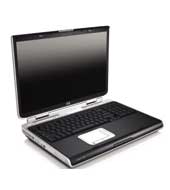
Yes, a humbly notebook she is. Her name's HP zd8342ea notebook, she just turned 7 months old, born last November 2005 in Dubai DutyFree Shopping mall, took me years of dreaming these wonderful moments with her. A breed from Hewlett Packard Pavillion clan, that has roamed mountains of companies around the globe and still achieving continuous credibility of satisfactory-producing genes commonly distributed throughout these technology lands.
I still remember...
Three hours of pain-staking walking labor inside DDFS mall, trying to choose which one would capture my very own dull mind and would inevitably convince me of these feature-enriched built-in choices of factors that were all overly up close and personally displayed.
Never mind the once-in-a-lifetime millionnaire coupon ticket that comes with her as this predefined non-production notebook customizations, that was amazingly-built, has provided me endlessly joyful sleepless nights, awakening my sleeping molecular bed of thinking-cells during those months of stay with her....
Have served her my best. Have spoonfed her different operating systems distro, customization setups targeted on gaining maximized resource throughput as well, 11 burning OS to be precised. It was fun feeding her dumb hungry-liking interrupts and data sockets with 1s and 0s. Reviving her empty memory and non-colliding hyperthreaded-enabled processors was unimaginable happy hours. On which, returns all favor to her during these six months...and I must admit, yours truly is a sole witness here.
Sad but true.
My desires and interests of letting her go for adoption at her early age was not an easy one for me.
SOLD!
My HP zd8342ea (series 8000), farewell then...I'll see you at cyber space!
Her at a Glance :
HP Pavilion zd8342EA Notebook PC (EL028EA#ABV)
Microsoft® Windows® XP Home Edition
supporting Hyper-Threading Technology, Intel® SpeedStep® technology
3.20 GHz
512 MB
80 GB
DVD Writer Dual Format (+/-R +/-RW) with Double Layer support
ATI MOBILITY RADEON X600 graphics
12-cell Lithium-Ion (Li-Ion) battery
54g™ 802.11b/g WLAN
290 mm (L) x 398 mm (W) x 50 mm (H)
4.22 kg (9.3 lbs)
Inner ones, specs and details:
Processor, Operating System and Memory
Operating System Installed
By Default: Microsoft® Windows® XP Home Edition
Current: Fedora Core Linux 5, PCLinux OS 0.92, Ark Linux beta RC2
Processor
Intel® Pentium® 4 Processor 640
processor technology
supporting Hyper-Threading Technology, Intel® SpeedStep® technology
processor speed
3.20 GHz
System Bus
800 MHz Bus speed
Cache
Level 2 cache 2 MB
Standard Memory
512 MB upgradeable to 2GB
Memory Type
DDR2 533 MHz
memory layout
(2 x 256 MB)
Maximum Memory
Supports up to 2 GB DDR2 memory
Internal drives
Internal Hard Disk Drive
80 GB
Hard disk controller
EIDE hard drive, ATA 100
Hard Disk Drive Speed
4200 rpm
optical drive type
DVD Writer Dual Format (+/-R +/-RW) with Double Layer support
System features
Memory card device
Digital Media Reader (6 in 1) (xD, SD, Smart Media, Memory Stick, Memory Stick Pro, Multimedia Card)
External drive bays
HP USB Digital Drive
Network interface
10/100 LAN Ethernet integrated
Wireless Technologies
54g™ 802.11b/g WLAN
Wireless capability
Bluetooth® wireless networking
External I/O Ports
1 VGA port; 4 USB 2.0 ports; 1 IEEE-1394; 1 RJ 11 modem connector; 1 RJ 45 Ethernet connector; S-video TV out; Remote control infrared port (Remote Control optional); 1 Headphone-out, 1 Microphone-in ports; Cable docking connector
video capture interface
IEEE 1394 Interface
Expansion Slots
One ExpressCard/54 slot (also supports ExpressCard/34)
Display size
17" WXGA+ High Definition BrightView Widescreen
Display resolution
1440 x 900
Video adapter
ATI MOBILITY RADEON X600 graphics
Video RAM
128 MB dedicated video memory
Video adapter, bus
PCI Express®
Handheld Remote Control
HP Mobile Remote Control
Internal Audio
3D Sound Blaster Pro compatible sound 16 bit integrated
Speakers and microphone
Altec Lansing® speakers
power supply type
180 W AC Power Adapter
Battery Type
12-cell Lithium-Ion (Li-Ion) battery
Software
Software - Productivity & Finance
Microsoft® Works 8.0
Included/Pre-installed Software
Microsoft® Internet Explorer 6.0; Microsoft® Outlook® Express; Adobe® Reader 5.0
optical drive driver software
InterVideo WinDVD 5.0; Sonic™ Digital MediaPlus 7.0: Sonic™ RecordNow; Sonic™ MyDVD; Sonic™ Easy Archive; Sonic™ Express Labeler; Microsoft® Windows® Media Player 10; Apple iTunes; Apple QuickTime; HP Image Zone Plus
Software - Education / Reference / Entertainment
InterVideo Home Theater™
Software Included
Symantec™ Norton Internet Security™ 2005 (60-day liveupdate); Notebook Help & Support
dimensions / weight / warranty
Weight
4.22 kg (9.3 lbs)
Dimensions (w x d x h)
290 mm (L) x 398 mm (W) x 50 mm (H)
Maximum Dimensions (W x D x H)
465 x 190 x 365 mm
Toshiba, here I come.
in life:
Happy with HP,..now let us see the world from Toshiba...
Saturday, June 24, 2006
useful health trivia
*
One cigarette can destroy 25-100 mg of Vitamin C.
*
Most store-bought milk with synthetic Vitamin D added can rob the body of magnesium.
*
Elderly people do not get enough Vitamin D due to lack of exposure to the sun.
*
Oral contraceptives interfere with the extraction of Vitamin C, B6, B12, folic acid from most diets.
*
Children need more protein than adults (about 11/2-2 times more per pound of body weight), and babies require three times more.
*
Daily "happy hours" can rob the body of Vitamin C and B.
*
The immune system will be depressed from constant consumption of foods with monosodium glutamate or vetsin, artificial colors/flavors, preservatives and other additives.
*
Raw peanuts have enzyme inhibitors that make it difficult for the body to digest all kinds of protein.
*
Natural fat (saturated fat) is better for the body than hydrogenated fat (found in low-fat butter substitutes like margarine). Hydrogenated oil is a trans fatty acid that has been linked to cancer.
*
Vitamin B1 can ease sea and air sickness.
*
Carpal tunnel syndrome and hormonal imbalance could indicate Vitamin B deficiency.
*
Magnesium is a muscle relaxant and is considered nature's equivalent of calcium channel blocker drugs.
*
The United States Department of Agriculture Human Nutrition Research Center on Aging at Tufts University says daily consumption of Vitamin C supplements have been found to reduce the risk of developing cataracts.
*
For more brain power, 100 mg of the phospholipid supplement phosphatidyl serine (PS) daily is suggested. It can help those with normal age-related memory problems regain at least 12 years of brain power.
*
Recent studies have shown that the mineral selenium may significantly slow the progression of the human immunodeficiency virus (HIV), which causes the acquired immune deficiency syndrome (AIDS).
*
Flavonoids found in red grapes can be 1,000 times more powerful than Vitamin E.
*
People who consume nuts five or more times a week have a lower risk of developing heart disease compared to those who eat nuts less than once a week.
*
Drinking soda and eating foods with sugar substitutes stimulate the body to consume more fat.
*
An onion a day keeps stomach cancer away. Onion's allylic sulfides (anti-cancer compounds) activate enzymes that neutralize cancer-causing substances.
*
Many people lose enzymes necessary to digest milk after the age of 12. This is why adults suffer from lactose intolerance, like having gas/indigestion, after drinking milk.
*
Taking Vitamin E supplements can lower the risk of heart disease.
*
The American Cancer Society says new studies reveal that the life expectancy of non-smokers can be longer by 18 years compared to smokers.
*
Boron can be a woman's best friend. The trace-mineral (found in apples, grapes, raisins) may retard bone loss in women after menopause. It also helps women on ERT (estrogen replacement therapy) by keeping estrogen in the blood longer.
*
The swallowing of toothpaste should be avoided as there may be a connection between the oral hygiene product (with its additives) and bowel diseases.
*
Aspirin may triple the rate of the body's release of Vitamin C.
Calmness:
style="font-family:verdana;">Walk with purpose but with calmness. Speak with passion but with peace. Act with energy but with serenity. These are the ways to manage the forces within you, using them not against but together with the flow of life.
Choose an affirmation each morning to start your day with inspiration not aggravation.
Breathe in a relaxed manner. Close your eyes and affirm: "I walk with the Spirit today." Visualize yourself bathed in brilliant white light.
Calming drink:
Take a hot or chilled cup of peppermint tea. For extra energy, add a slice of fresh ginger for that zing.
Love and light!
Tuesday, June 20, 2006
google spreadsheet now

How do you create, edit, share spreadsheet from the internet?
Now, introducing Google spreadsheet!
Duh, tell me more about it dude.
Get started quickly. Import your existing spreadsheets or create new ones from scratch.
Edit your spreadsheets from anywhere. All you need is a Web browser - your spreadsheets are stored securely online.
Share changes in real-time.Invite people to your spreadsheets and make changes together, at the same time.
Tuesday, June 13, 2006
bird's eyeview - google earth
i was evaluating google's latest google earth. glad they release a linux version.
it was amazing trip, moving around earth's X and Y axis. a virtual trip you cant get
just around it and spend a couple of hours looking to places, buildings and maps.
What is Google Earth anyway?
It is Explore, Search and Discover.
Nice, so any other definitions that I can simply understand?
Google Earth puts a planet's worth of imagery and other geographic information right on your desktop. View exotic locales like Maui and Paris as well as points of interest such as local restaurants, hospitals, schools, and more.
You can actually pinpointed and marked your own point of residence, your school, its there and updated!
When are these maps and pictures updated from Google Earth?
Three years ago taken from satellite and some aerial flights above.
As you will notice, most maps were taken at a very early time of the day.
What?! I need the hardware requirements?
Yep, just copy and paste it.
What are you talking about?
Here.
Google Earth takes advantage of the 3D graphics capabilities standard on most computers. If you are using Google Earth on an older machine, or a notebook computer that does not have 3D graphics capabilities, you may not be able to run the application.
The 3D graphics capabilities of your machine have a lot to do with how well Google Earth performs. Google Earth will work on most graphics cards from the following manufacturers:
NVIDIA
ATI*
3D Labs
Intel**
Matrox
S3
* The following ATI cards are not supported: ATI Rage Mobility, ATI Xpert, ATI 3D Rage.
** Intel 3D graphics machines can use the default OpenGL version, but work better in DirectX (choose Start > Programs > Google Earth > Start Google Earth in DirectX).
Matrox card users must use the OpenGL version. S3 cards must use the DirectX version.
See my attached google earth captured point of residence back home!
Thanks.
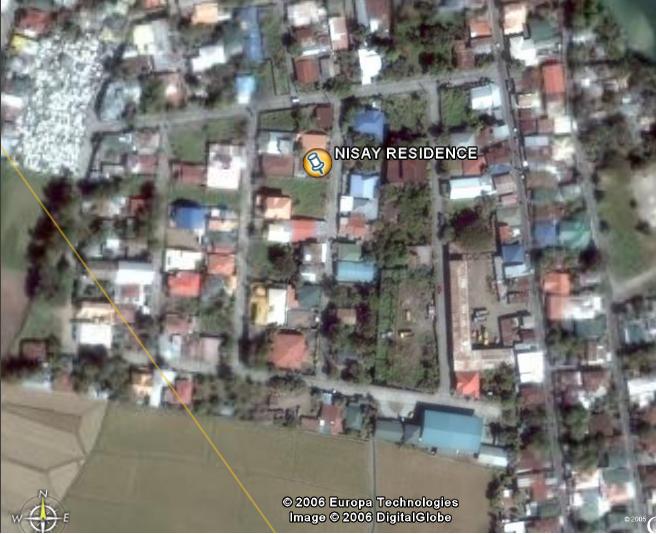
Links: Google Earth http://earth.google.com/faq.html#1
in life: unidentified aliens are providing google amazing technology!
Sunday, June 11, 2006
novell xgl demo tube
Below is Novell XGL tube demo. If you are using a dialup-like internet connectivity, it is not advisable for you to play the demo tube by Novell, however, if you havent seen one XGL 3d desktop demo under Novell Linux, just be patient and click play now.
Friday, June 9, 2006
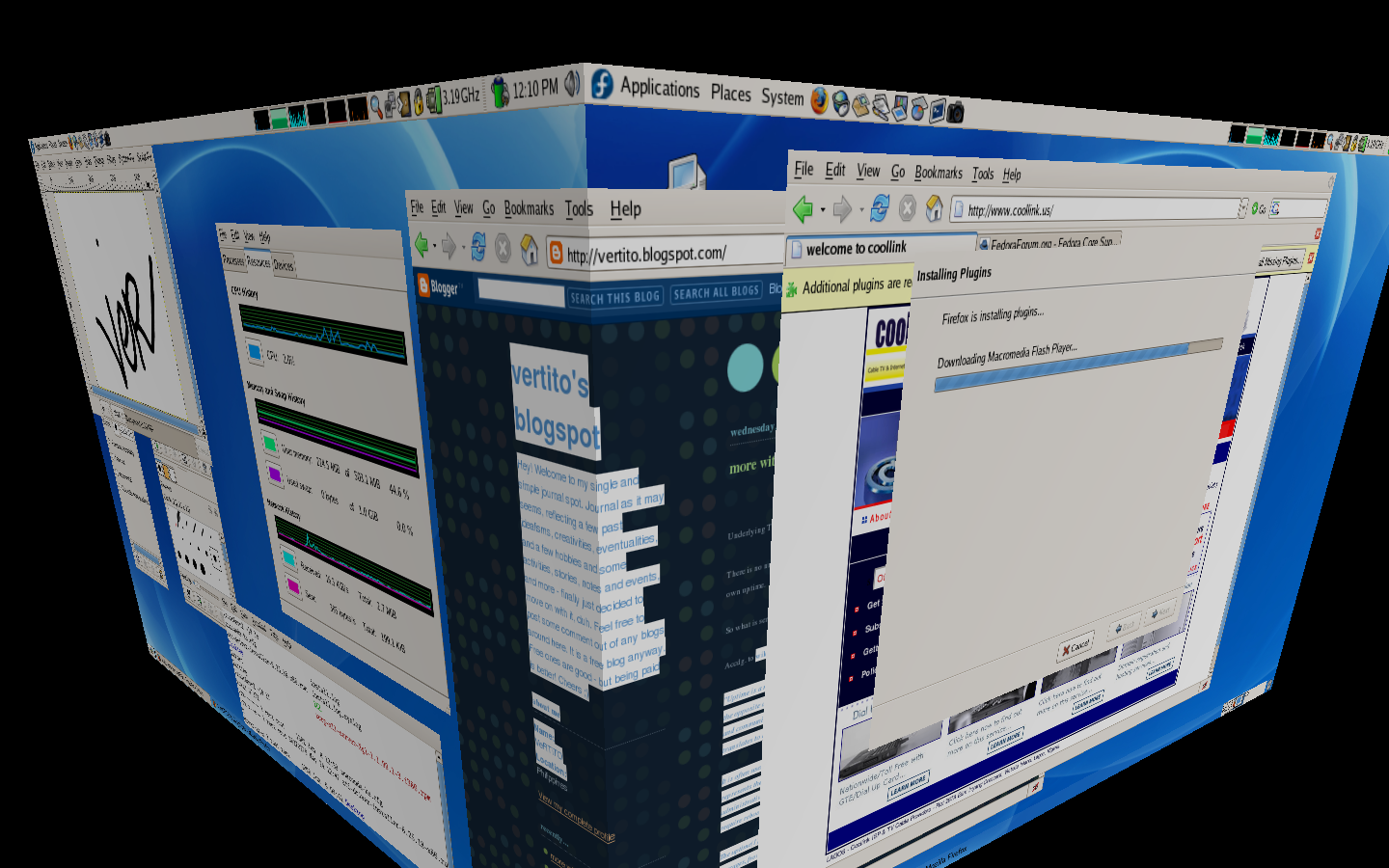
my 3d xgl screenshots
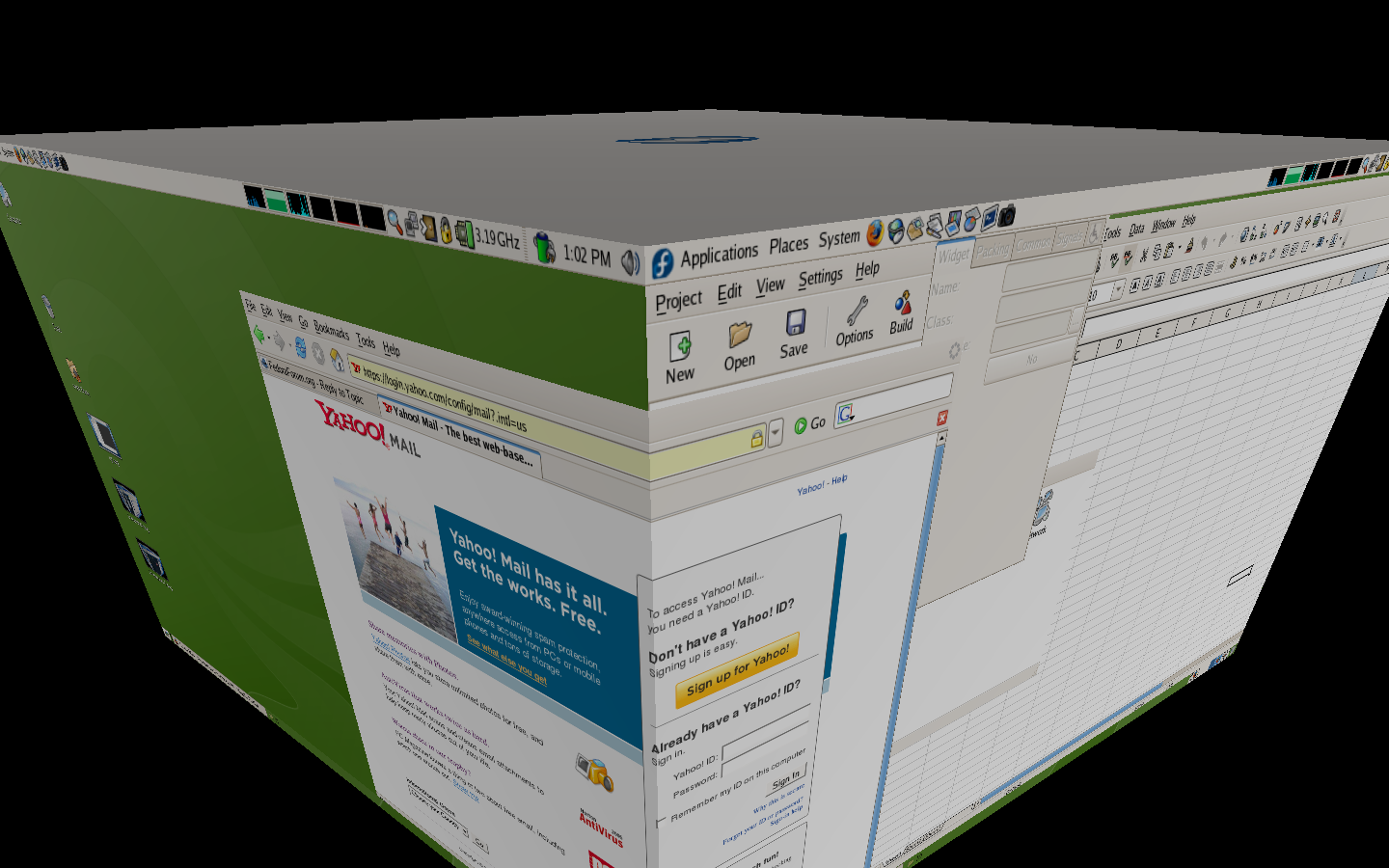
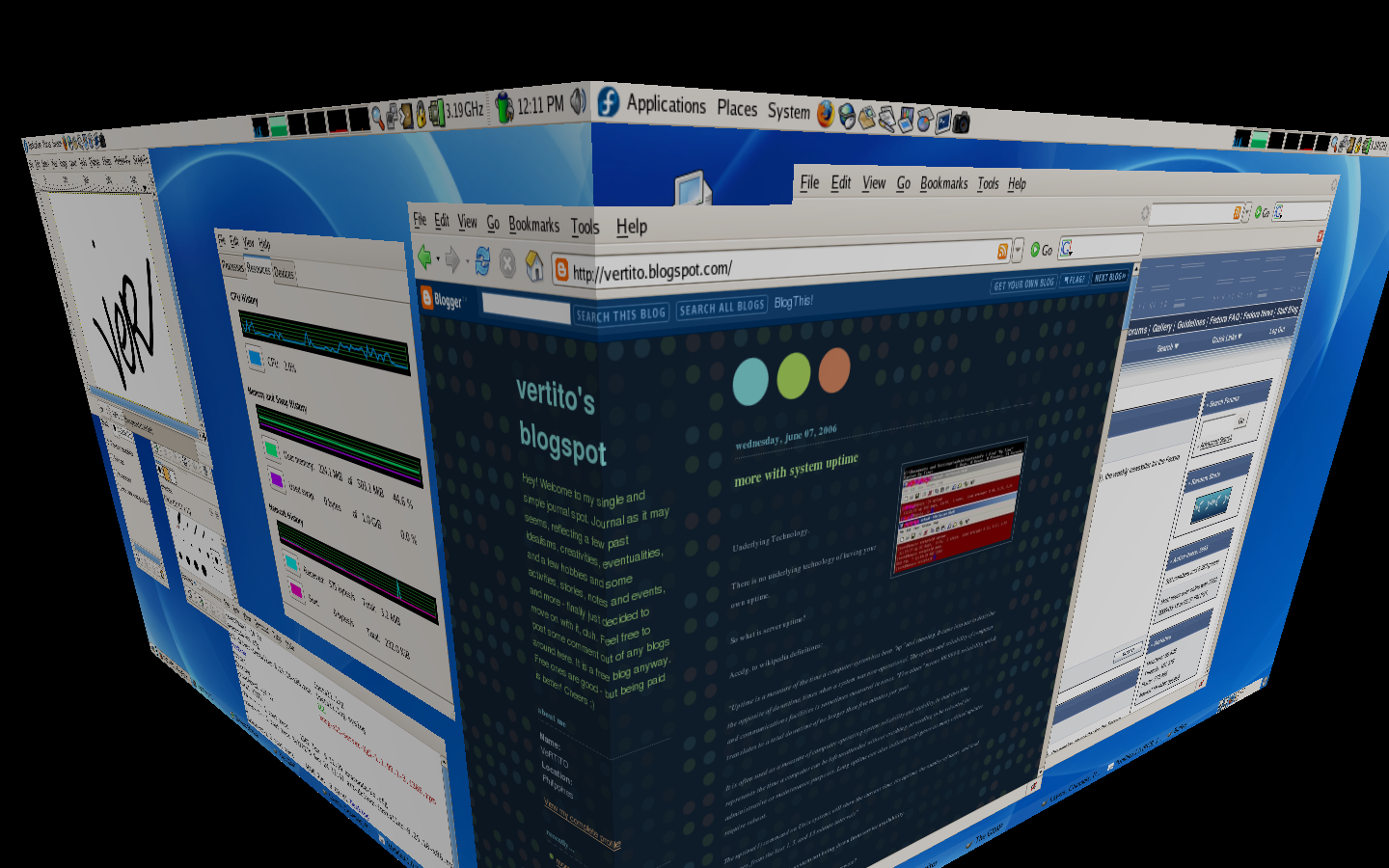
Introduction:
XGL Code:
See how to do that here http://www.fedorafaq.org/#radeon
How do I enable 3D support for my nVidia graphics card in Fedora Core 5?
Link here http://www.fedorafaq.org/#nvidia
Major XGL desktop features:
1. True transparency and shadow
2. Zoom In / Zoom out
3. Desktop Organization
4. 3d Spinning Cube
5. Moving-film like
Package list to install:
compiz OR compiz-quinn
xorg-x11-server-Xgl
fedora-xgl-settings
gset-compiz
xgl-hardware-list
glitz
libsvg-cairo libsvg
Let's go install. Show me now please.
First, make sure you have a 3d vga driver working already and the latest kernel.
Now, for this to work under FC5, you need to install Fedora Xgl Repository as root, issue:
Then import proper GPG key
# rpm --import /etc/pki/rpm-gpg/RPM-GPG-KEY-AL-CAPCOM
Follwed by installing Xgl and Compiz rpm packages:
# yum --enablerepo=fedora-xgl install compiz xor-x11-server-Xgl
Verify that you have the correct xgl values after the installation:
$ gnome-xgl-info
This command must return results like this:
G nVidia Corporation
1 kmod-nvidia is installed for the kernel release 1.2111_FC5
1 -accel glx:pbuffer -accel xv
Enable Xgl:
gnome-xgl-switch --enable-xgl --auto
When the script ask you for applying the modifications, say (y)es.
To disable Xglgnome-xgl-switch --disable-xgl
Use Gnome, for now, it doesnt work with KDE yet.
Modify your /etc/gdm/custom.conf and append these :
[servers]0=Xgl
[server-Xgl]
name=Xgl
servercommand=/usr/bin/Xgl :0 -fullscreen -ac -accel glxbuffer -accel xv:buffer
chooser=false
handled=true
flexible=true
priority=0
And save.
**Note that /usr/bin is the location, others had /opt/bin.
XGL is not yet fully stable, its still on development process and most users from different distros find hardtimes doing the installation. Once or twice it would work for them, but after reboot, it does not!
Then, create a executable bash scripts named XGL like below. This one would launch XGL under init 3 properly.
#/bin/sh
#start XGL on display :1
export DISPLAY=:1<
br />/usr/bin/Xgl :1 -ac -accel glx:buffer -accel xv:buffer -fullscreen &
sleep 33
#start compiz
DISPLAY=:1 /opt/Xgl/bin/compiz gconf &
DISPLAY=:1 gnome-window-decorator &
DISPLAY=:1 dbus-launch gnome-session &
#avoid backspace to kill Xgl
DISPLAY=:1 /usr/bin/xmodmap -e "keycode 22 = BackSpace"
And save.
Change /usr/bin if necessary. This one comes from my own settings though. You will notice sleep 33 is there, it works for me, if I changed that to sleep 10, it wont do the work, you need to give it some loading time, maybe 60 would do for some slower systems as I have 3.2 GHz processor here, 33 is just fine for me.
Then from Gnome, click Administration, look and click for Compiz configuration, from the left pane of the newly appeared dialog box, make sure the following plugins are checked:
gconf
decoration
wobbly
fade
minimize
cube
rotate
zoom
scale
move
resize
place
switcher
Reboot to init 3, and run the XGL script as root, wonderful, works like a charm!
The above worked with my ATI Mob Radeon X600 with 128 dedicated video mem running under FC5.
If you wish to run it when Gnome is loaded, change the display redirection from :1 to :0, edit /etc/inittab to init 5, and do some tweakings from your xorg.conf, gnome-sessions and startup programs.
Some sweet-candy XGL keyboard shortcuts commands:
Ctrl+Alt+Left - rotates the 3d cube going to the left.
Ctrl+Alt+Right - and right ofcourse.
Alt+Left Button - drags the currently selected window with effects
Ctrl+Alt+Left Button - rotates the cube on mouse directionand more!
Lastly, find an internet cafe, do some show offs. LOL
Future Readings:
http://www.novell.com/linux/xglrelease/
http://en.wikipedia.org/wiki/Xgl
http://fedoraforum.org
http://www.freedesktop.org/wiki/Software/Xgl
All their trademarks and licenses.
in life: desktop linux are getting more and more sweet nowadays
Wednesday, June 7, 2006
more with system uptime
Underlying Technology.
There is no underlying technology of having your own uptime.
So what is server uptime?
Accdg. to wikipedia definitions:
"Uptime is a measure of the time a computer system has been "up" and running. It came into use to describe the opposite of downtime, times when a system was non-operational. The uptime and reliability of computer and communications facilities is sometimes measured in nines. "Five nines" means 99.999% reliability, which translates to a total downtime of no longer than five minutes per year.
It is often used as a measure of computer operating system reliability and stability, in that this time represents the time a computer can be left unattended without crashing, or needing to be rebooted for administrative or maintenance purposes. Long uptime can also indicate negligence as many critical updates require reboot.
The uptime(1) command on Unix systems will show the current time, the uptime, the number of users, and load averages, from the last 1, 5, and 15 minute intervals"
Basically, its a counter of a system not being down from service availability.
So how can I get my own uptime? Is it free? Shareware?
It's free, its already there, just turn on your system.
Show me please.
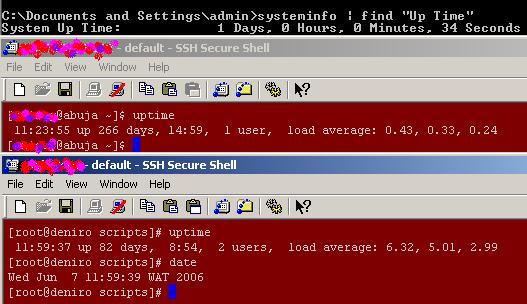
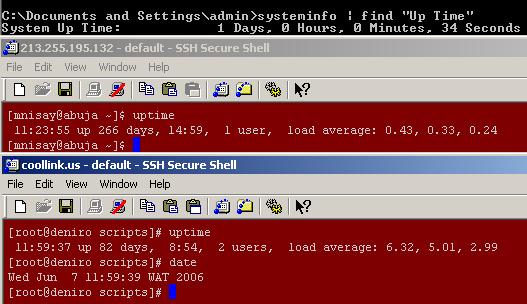
Easy, even newbies, noobs can easily know his system or server uptime. If you are using Window$ XP, it doesnt matter if its genuine or not, nor internet-connected or not, as long as you have remote or physical admin access on it. You simply launch the infamous DOS command prompt and issue:
C:\systeminfo find "Up Time"
This command will seize all vital hardware details including OS components version and updates. But since it includes parsing 'find' command, it will just show you your XP uptime.
How to launch DOS. Click Start, Run, and type "cmd" and hit OK!
With Linux, simply issue, root or normal user:
#uptime
What else?
There are lots of site offering free uptime monitoring service. Netcraft is one famous among them. You can see netcraft uptime server here http://uptime.netcraft.com
State your point!
Oh sorry, let' see.
My current uptime is 266 days under FC and 1 day with window$ XP, see screenshot.
Last year was like 345 days, restarted by epileptic UPS arg!
Based from uptime netcraft, current longest uptime is 1461 days running under BSD OS and 50th highest uptime is 768 days as of today, 11AM GMT.
Further reading: Google defines it here
Life: uptime is alive but doesnt breath!
More: graph it using MRTG
not to much to create and append, ..
maintenance are on automatic mode,
now more on monitoring and see how it looks, ..
browse the net, home sweet home is coming soon!
Saturday, June 3, 2006
ATI Radeon X600 3d FC5 Howto

Under Fedora Core OS distro, there has been many forums and plug list discussions about their problems and experience of having NVidia and ATI video card driver working with their system, specially to 3d-enabled VGA support.
Show your point!
Last night, I did a full dual boot reinstall of my notebook, FC 5 and XP2, for beginners and hobbyist just in case when the need arises.
Where did you get your ATI Radeon X600 driver?
Enriched packages with yum repos for FC distro leads me unto it.
Before you do this, make sure you already made a backup copy of your /etc/X11/xorg.conf.
As root with SELinux disabled,
#yum install kmod-fglrx
For some dependencies from your system, this may install necessary kernel upgrades for your system. Note that fglrx driver wont work without the needed current kernel updates, unless you compile it yourself! If you dont feel happy upgrading your kernel to latest one, you have an option to press N to cancel everything when prompted.
However, if you choose to continue, this command will install the open source fglrx non-propriety software package that works with most ATI video cards and will provide your with 3D acceleration support for most intel chips.
What about NVidia video card drivers, almost the same approach.
#yum install kmod-nvidia
If you have ATI cards, don't ever issue the above one. You might get confused.
If SELinux is enabled, simply issue as root,
setsebool -P allow_execmod=1
Check /etc/selinux/config if you dont know your SELinux status.
Noticed from xorg.conf a few modifications like
Driver "fglrx"Option "UseInternalAGPGART" "no"
Make sure you also set your default screen reso there just down below of that lines.
Reboot.
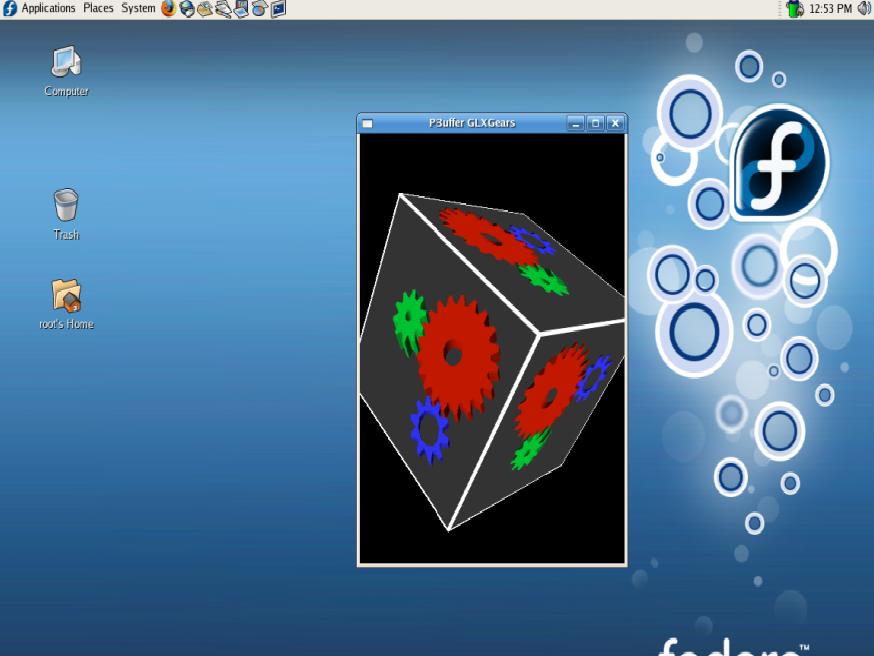
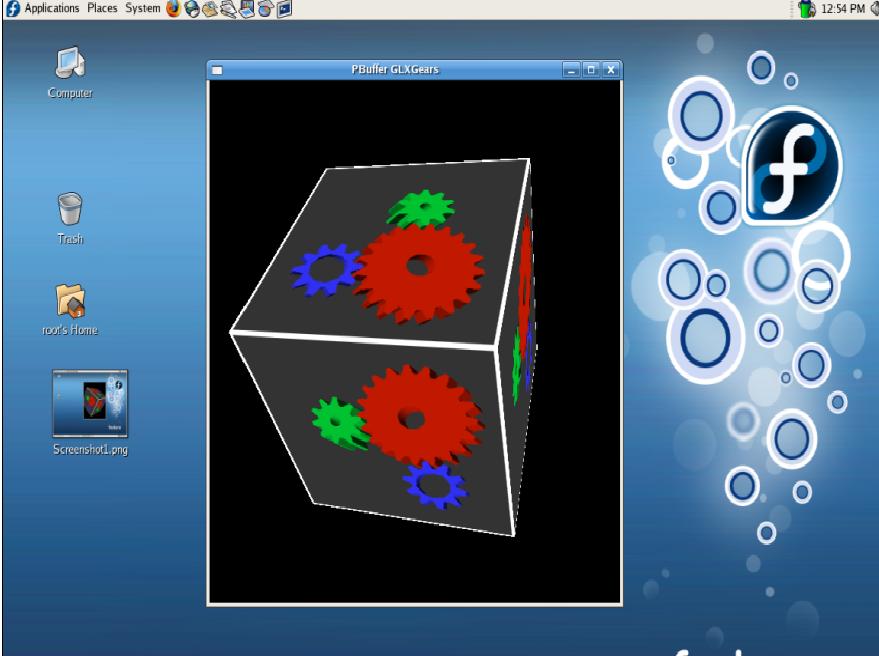
How can I see that 3d gears graphics working?
Issue
#fgl_glxgears
and screen-capture it. Works like a charm!
Now check out its performance, go and play heavy 3D games! Ever heard of XGL or 3d desktop? Try that!
For debug purposes,
tail -f /var/log/messages
If it doesnt work for your OS, just copy back your /etc/xorg.conf.backup copy and overwrite the xorg.conf. You may need to restart GDM by logging out. Or alternatively, hit Ctrl+Alt+Backspace to restart X. No need to reboot.
See some captured desktop I have. Useless pretry candies huh.
For ATI feedback, see http://apps.ati.com/linuxDfeedback/index.asp
For Livna repos, see http://rpm.livna.org/
SELinux, see http://fedora.redhat.com/docs/selinux-faq/
See Fedora Forums
Thursday, June 1, 2006
shutdown using non-root
How to enable a non-root user to shuwdown a linux system
First, you need a non-root user, go and create it using root account
[root@deniro ver]# useradd -d /home/vertito vertito -s /bin/bash && passwd vertito
This would create a new bash-enabled user prompting you for a new password.
You then edit /etc/sudoers file by launching your favorite editor like so
[root@deniro ver]# nano -w /etc/sudoers
or simply
[root@deniro ver]# visudo
and inserting
SHUTDOWN localhost=/sbin/shutdown -h now
and save.
Logout as root and login as user vertito. User vertito was the last user created a while ago.
[vertito@deniro ~]$ /sbin/shutdown -h now
Just make sure /sbin/shutdown is world readable and executable as mine is not! !
Further readings:
man sudo
man shutdown
man sudoers
sources: WWW
application: dont reboot, shut it down, makes work simple!
VNC server howto
A brief VNC howto introduction:
What is VNC?
VNC stands for Virtual Network Computing. It is remote control software which allows you to view and interact with one computer (the "server") using a simple program (the "viewer") on another computer anywhere on the Internet. The two computers don't even have to be the same type, so for example you can use VNC to view an office Linux machine on your Windows PC at home. VNC is freely and publicly available and is in widespread active use by millions throughout industry, academia and privately.
VNC server Howtos in Fedora Core OS.
Do yout think I have it in installed from my system?
Type the following command to check if you have the client and server installed from your system.
As root
[root@deniro mail]# rpm -qa vnc vnc-server
vnc.i386.4.1.1-10.1
vnc-server.i386.4.1.1-10.1
Or as non-root user
[vertito@deniro ~]$
vnc.i386.4.1.1-10.1
vnc-server.i386.4.1.1-10.1
If it's not yet installed, you can install it using the easy to use yum command.
[root@deniro mail]# yum install vnc-server
Now, to configure vncserver as a service on your system, add yourself in following config file.
[vertito@deniro ~]$ sudo vi /etc/sysconfig/vncservers
# VNCSERVERS="1:myusername"
VNCSERVERS="1:vertito"
To add more users
VNCSERVERS="1:vertito 2:ver"
OPTIONAL:
VNCSERVERARGS[1]="-geometry 1024x768 -depth 16"
VNCSERVERARGS[2]="-geometry 800x600 -depth 8"
Before starting vncserver as a service, let's create a vnc password with vncpasswd command.
Notice it creates a hidden directory .vnc under your home account with file passwd which contains your vnc password.
[vertito@deniro ~]$ vncpasswd
Password:
Verify:
[vertito@deniro ~]$ ls -d .vnc
.vnc
[vertito@deniro ~]$ ls .vnc
passwd
[vertito@deniro ~]$
Now let's start vncserver as a service.
[vertito@deniro ~]$ sudo /sbin/service vncserver start
Starting VNC server: 1:vertito [ OK ]
[vertito@deniro ~]$
Take a look at the contents of .vnc directory now. You should have something similiar to following.
[vertito@deniro ~]$ cd .vnc
[vertito@deniro ~]$ ls
passwd vertito:1.log vertito:1.pid xstartup
[vertito@deniro ~]$
If you edit the script called xstartup, you will see UNSET SESSION_MANAGER 2 lines,
uncomment those two lines! Otherwise, you will get nothing but grey screen.
#!/bin/sh
# Uncomment the following two lines for normal desktop:
unset SESSION_MANAGER
exec /etc/X11/xinit/xinitrc
[ -x /etc/vnc/xstartup ] && exec /etc/vnc/xstartup
[ -r $HOME/.Xresources ] && xrdb $HOME/.Xresources
xsetroot -solid grey
vncconfig -iconic &
xterm -geometry 80x24+10+10 -ls -title "$VNCDESKTOP Desktop" &
twm &
After editing vnc startup script, we need to restart the vncserver service
[vertito@deniro ~]$ sudo /sbin/service vncserver restart
Shutting down VNC server: 1:vertito [ OK ]
Starting VNC server: 1:vertito [ OK ]
[vertito@deniro ~]$
So how do I connect to vncserver?
Use vncviewer command in vnc client as following.
[vertito@deniro ~]$ vncviewer localhost:1
Enter your password there.
General usage is:
vncviewer [Server's IP]:[Port]:[Display]
To connect to a remote system with iptables firewall, port 5901 needs to be open.
Add following line to open port 5901 and restart iptables service.
-A RH-Firewall-1-INPUT -m state --state NEW -m tcp -p tcp --dport 5901 -j ACCEPT
/sbin/service iptables restart
If you have 2 users, you may
-A RH-Firewall-1-INPUT -m state --state NEW -m tcp -p tcp --dport 5901:5902 -j ACCEPT
These would listen on ports 5901, 5902 respectively.
And restart again the following services,
/sbin/service iptables restart
/sbin/service vncserver restart
To load vncserver during reboot, add as startup service
#chkconfig vncserver on
To know vnc-server status
/sbin/service vncserver status
Basically, this is it. You are happy to go!
Further Reading
Read the man pages. Everything is in there:
man vncserver
man Xvnc
man vncconfig
man vncviewer
VNC with SSH. See http://www.ltsp.org/contrib/vnc.html
sources: Fedora, Fedora Forum, Fedora FAQ, Google
life:
teleportation is a must
Trademarks are their own copyrights.
Wednesday, May 31, 2006
INQ7 breaking news
TWO Filipino informers responsible for providing information that led to the arrest of a suspected Muslim terrorist leader walked away from the US Embassy Wednesday morning with a total of 500,000 dollars as their reward.
At a press conference, US Ambassador Kristie Kenney said, “Washington evaluated the information and the importance of information given out.”
Kenney praised the “two very brave patriots for their actions and information,” which led to the arrest of a “vicious terrorist.” “They deserve the reward...This is to encourage citizens to come forward with information that would lead to the arrest of terrorist,” she added. Kenney refused to comment about the background of the two, when asked if they were law enforcers.
The US embassy had said that the two tipsters were responsible for information that led to the arrest of Hilarion del Rosario Santos III, alias Ahmed Santos.
Asked if the reward did not constitute sub judice, Ricardo Blancaflor, undersecretary of the National Security Council, said the reward was not meant to influence the outcome of the still unresolved court case against Santos.
Santos, a founding member of the Rajah Solaiman Movement for Filipino converts to the Muslim faith, was arrested on Oct. 26, 2005 in Santo Nino, Zamboanga City. He allegedly set up a training camp in his family's property in Pangasinan, where an Al-Qaeda suicide cell supposedly trained before the Sept. 11, 2001 attacks in the United States.
Blancaflor said the government did not know if Santos had been replaced in the terrorist group.
Santos has also been linked to the Superferry bombing in February 2004 and the simultaneous Valentine's Day bombings last year.
According to the US embassy fact sheet, in the last seven years, the US government's Rewards for Justice Program has paid over 62 million dollars to people who have helped put terrorists behind bars.
source: INQ7.net
happy month end!
Friday, May 26, 2006
bash script - add thousands system users
#!/bin/bash
#may 26 2006
passfile=test.txt
n=1
rm -rf go #delete any go file
echo "#!/bin/bash" >> go # prepare file to be as bash script file
for name in $(awk 'BEGIN {FS=":"}{print $1}' < "$passfile" ) #parse input file separated by :
do
array1[$n]=$name #and store them to arrays
let "n += 1" # grade 1
done # end of for loop
n=1
for name in $(awk 'BEGIN {FS=":"}{print $2}' < "$passfile" )
do
array2[$n]=$name
let "n += 1"
done
n=1
for name in $(awk 'BEGIN {FS=":"}{print $3}' < "$passfile" )
do
array3[$n]=$name
let "n += 1"
done
i=0
for ((i=1; i<n; i++))
do
echo ${array1[$i]} # prints username
echo ${array2[$i]} # as well as password
echo ${array3[$i]} # then comment name or ID name
echo "useradd -d /home/${array1[$i]} ${array1[$i]} -p ${array1[$i]} -s /bin/false -c ' ${array3[$i]} '" >> go
done
chmod 755 go # make it bash executable
./go # now execute it
exit 0
#############
comment:
customized input file: test.txt
contains:
uname:pword:Super_Man
test1:pword2:JOHN_TAMAD
test2:testpass2:testname2
test3:testpass3:testname3
***note of UNDERSCORE as Full Name field
output file: go (executable bash script)remarks: script will process input file, save output to output file and execute the output file
** user group were not included when adding
application:
reduced finger tiredness, copy and paste
Thursday, May 25, 2006
widescreen and high-definition displays
What does widescreen mean?
A widescreen (or wide aspect display) refers to the width-to-height ratio of the PC or TV panel. Standard displays have a 4:3 ratio, whereas widescreen displays have a ratio of approximately 16:9 (actual ratio may vary slightly by model).
What does high-definition mean?
High-definition displays support a resolution of 1280 x 720 pixels or higher. They’re capable of displaying high-resolution content without compromising video information, which allows for full viewing of realistic images and more visible information in documents. All HP 14", 15.4" and 17.0" widescreen displays support high-definition content.
When compared with a standard 15" XGA (1024 x 768) display, a 14" widescreen WXGA (1280 x 768) provides 25 percent more screen information, and a 15.4" widescreen WXGA (1280 x 800) provides 30 percent more information. With a 17" widescreen you get as much as 65 percent more information on the screen.
What are the benefits of widescreen and high-definition displays?
Digital entertainment: The widescreen, which is better for viewing DVD movies, is Hollywood’s format of choice. The black border around the DVD playback screen is minimal, if not eliminated.
Digital photography: A widescreen is better for viewing panoramic pictures; it also allows more thumbnails to be displayed on the screen. Plus, the photo editing toolbar fits on the screen.
Games: High-resolution game applications can display more-realistic characters on a high-definition widescreen, making for a more enjoyable experience.
Enhanced productivity: High resolution supplies more screen real estate so you can fit more windows side by side without overlapping, and spend less time scrolling and toggling between windows.
Note: High-definition content (e.g., WMV HD files) is required for viewing high-definition images. Most current DVDs do not provide high-definition content.
actual: go get a new screen!
sources: compaq/hp
Friday, May 19, 2006
naive evolutionary existence

been spidering the web, checking some of my old native online journals before, crawling these more-than-a-decade-old personal links is not an easy task compared to getting concepts and first timers howtos from the web. unfortunately, after spending minutes, most of them died without bidding their master goodbyes. amazing thoughts the internet world would be like this 2 decades ago. some of them just got killed due to non-paying domain owners, others just went down dead being deleted from server brought about by outstanding and cancerous page inactivity disease...
this brought me into compiling few evolutionary moments, ideas, events and a couple of screen shots i might have as i am posting live while crawling some of them. nope not nerd mode and the bad cave is far from where i sitting now. am sure all those old sickening medieval pages will all die sooner or later, atleast i can republish 'em.

had my very first basic programming exposure and basically an unpaid enjoyable programming late 1988's. this was with my brother. we did some basic and challenging pixelite graphical ATARI-based game,spending hours and enjoyful moments with it as we were trying to produce a workable bumbleegame. we make use of native keyboard and joystick then to interact with this bumblee game. atari-based keyboards already comes with dumb cpu, internal cartridge-type storage disk and external cassette tape as a source for howtos and data storage. USA and japan introduced them. got my very first intel-based x86 machine - the PC AT286 year 1991. years passed by. reverse-engineering most of borland's tool was one of my time-wasting hobby during late night hours then. sidekick was really a helpful tool for most coders from college, was addicted to these TSRs and IRQs. combining C/Pascal with Assembly language leading me to meet Borland and Norton works. amazed of the basic IT world i am with those times. really thought having a screen where you issue mouse gestures like hover it with group icons and do your kungfu thing. great, lighting fast thoughts, twas already existing, windows 3 was already there, bill gates was receiving financials for his works and oh, norton works was integrating with windows already. things was just great and disappointing. oh well.
years after the fast lanes... some of them are forgotten amazing years. i would probably remember them by seconds for a few moments.
...im back.
my very first email registration happenned with
 i remember i sent a couple of emails, and thats all.
my www.yahoo.com email was born. i spend most of the time searching browsing, reading sites, information hungrinness was too much to bear that time as the less famous ms-dos OS was already dying that time.
first made publicly available personal simple page came from www.geocities.com, yahoo doesnt own them yet. a page very basic and simple. was just putting more of the sample pictures corner there and side here. dont have much memories of it as the page so slow i have to get back editing database structures before, and was just trying to get a feel of what would it looks like putting pix around the corners and stick-it-here-and-there stuff. spending some free time i guess. the connection was reallly slow.
this was the time when freaking mobiles were like more than 12 inches long and were like 2 kilos in weight! heeey, it was still with me, burried alive with my old forgotten boxes, still got $10USD bill with it as a souvenir though, so sad that MP3 doesnt exist yet.
as months and years went by, the longtitudes and temp. degree of earth changes, as years went away without a those moment reminding you every seconds of
the day, www.homestead.com

...
oops, my time is limited now.
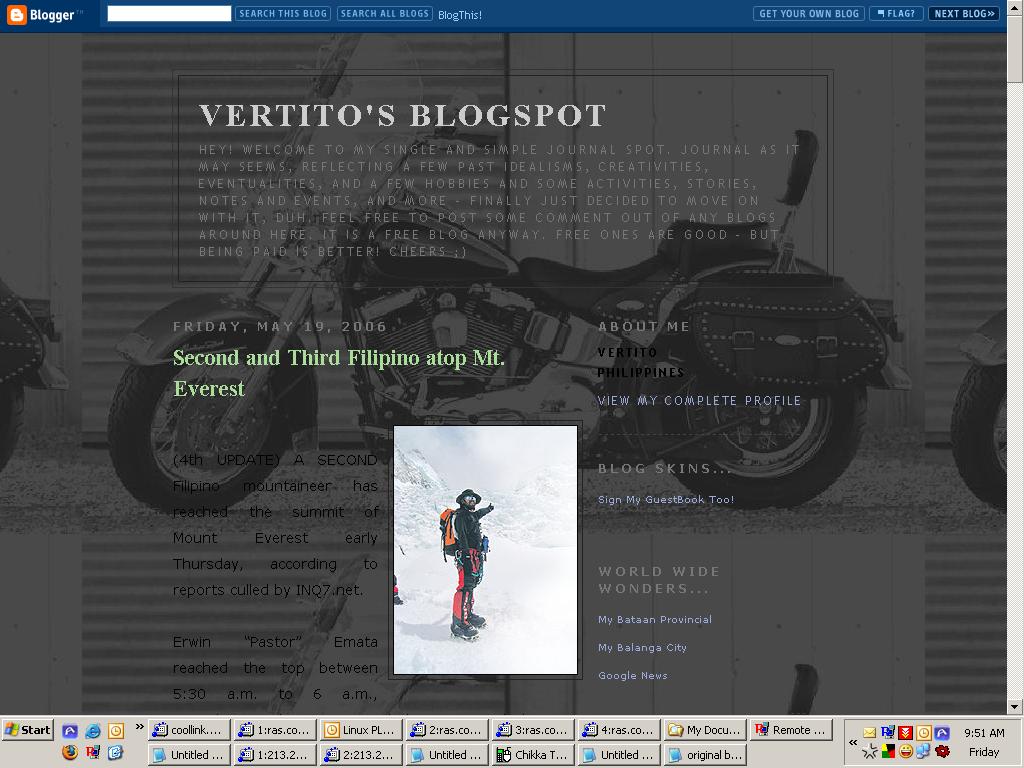
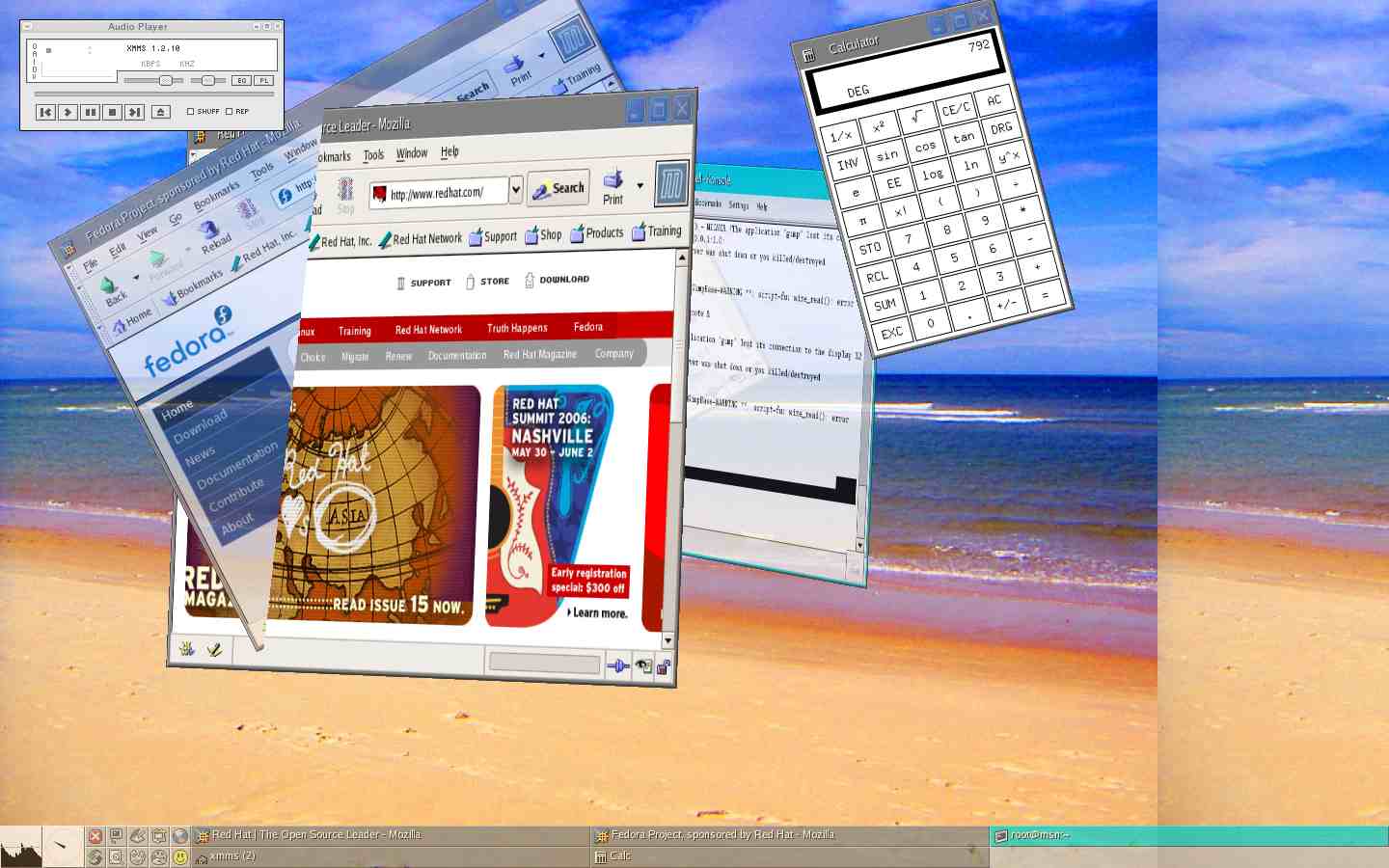
these are some traces of my existence captured recently to remind me by. will add more screenshots from time to time.
life: got to go!
Second and Third Filipino atop Mt. Everest
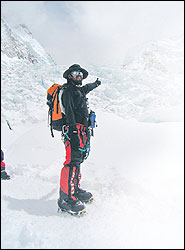
Erwin “Pastor” Emata reached the top between 5:30 a.m. to 6 a.m., according to the reports, including one in which Emata himself was said to have radioed his camp to inform fellow mountaineers of his feat.
Emata’s achievement came a day after his partner, Leo Oracion, made the historic climb.
A third mountaineer, Romeo Garduce, was due to complete a hat-trick of ascents this week in a race to the top of the world's highest mountain that has engrossed the tropical Southeast Asian nation.
In Malacañang, President Gloria Macapagal-Arroyo said the entire nation was rejoicing with the successful climb of Emata and Oracion.
“The entire nation also shares the joy and pride of the First Philippine Mount Everest Expedition team led by Leo Oracion on their achievement. Even as we speak, we also heard news of the outstanding featof another Filipino, Erwin Pastor Emata,” said Arroyo in a statement.
“The conquest of the world's highest peak is a mark of Filipino excellence, perseverance, and courage in braving the hard trek of nation-building,” she added.
At the Senate, Pia Cayetano, Manuel Villar, and Richard Gordon issued separate congratulatory statements to the Everest mountaineers.
Cayetano, a sports enthusiast and member of the Philippine National Duathlon Team, said that the Everest conquest was "a testament to the Filipino's strength of will, stamina, and character.”
"The Everest conquest is akin to our country winning an Olympic Gold...(It) shows the world-class stuff that Filipino athletes are made of. With proper training and support, our athletes can conquer anything," she said.
“The perseverance and bravery of Filipino climbers show the whole world the Filipino's solid determination and indomitable spirit. Not even the highest mountain in the world is unconquerable when the Filipino sets his mind to conquering it,” Villar said.
In Senate Resolution 483, Gordon also congratulated team members Arturo T. Valdez, Ari Ben C. Sebastian, Fred B. Jamili, Regie Pablo, Florentino Jong Narciso, Karina Davondon, Juan Añonuevo, Levi Nahayangan, Larry Honoridez, Janet Belarmino, Ariel Ambayec, Noelle Wenceslao, Ted Guevarra, John Tronco, and Choi Aquino, who “risked their lives to bring honor to the country.”
Gordon also cited Garduce, Jon Villareal, and Dale Abenojar for their parallel efforts to scale Mount Everest.
Gordon said the climbers should be feted by the Senate "for their contribution in the history of our country and to the pride of the Filipino people."
“The climbers, who caused the setting of the Philippine flag at the apex of the mountain, worked hard in conditioning themselves for the climb,” he said.
At the House of Representatives, Bayan Muna Representatives Satur Ocampo, Teodoro Casiño, and Joel Virador; Anakpawis Representatives Crispin Beltran and Rafael Mariano; and Liza Maza of Gabriela filed House Resolution 1252 commending Oracion, Emata, Garduce, and the other Filipino mountaineers.
“Whereas, such feat of Oracion, Emata, Garduce, and other Filipino mountaineers showed the Filipino’s capacity to overcome insurmountable odds, a trait that is very important in confronting the huge national and social problems the nation now face,” the lawmakers said in the resolution.
“Whereas, such feat has been aptly welcomed with much rejoicing as a triumph of the entire nation and as an example of patriotism worthy of emulation by every Filipino,” they added.
Emata, 32, radioed his base camp at about 5:30 am Nepal time to report that he had reached the top, said expedition leader Art Valdez in a live interview with ABS-CBN television in Manila.
The Filipinos' base camp broke out in celebration when Emata sent in his radio report, he said.
"We were not even finished with the excitement and jubilation over the success of Leo Oracion yesterday," said Valdez.
"It shows our faith in the Filipino. The Filipino is great. Erwin and Leo proved this by reaching the top of Mount Everest," he added.
Earlier on Thursday, GMA Network’s “Flash Report” said Emata reached the peak at about 6:00 a.m.
Garduce is expected to reach the summit on Friday or Saturday, according to GMA Network, his main sponsors. Oracion and Emata had been part of a team sponsored by ABS-CBN.
Wednesday, April 19, 2006
chance of having a boy or a girl

Congratulations!
You have a 56% chance of having a boy. And you have a 43% chance of having a girl.
And Here's Why...
Friday, April 14, 2006
April 14, 1974
"It is the most expensive gemstone in the category of gemstones. The most auspicious diamond is one that is colourless with a blue tinge or one, which sprays blue, and red rays and is without black dots. The Diamond with a red or yellow hue or tinge is said to be beneficial and auspicious for kings, political leaders and administrators. The Diamond having a white hue is suitable for religious, social and spiritual works. The Diamond of yellow hue showers success and prosperity. The Diamond of black hue is suitable for people who are engaged in inferior jobs or professions. Women desiring birth of sons to them should wear an unblemished white Diamond having a slight black hue. The wearer of Diamond is protected from the bad influences of evil spirits, and snakebites. A defective or blemished Diamond causes great harm to its wearer. The Diamond with the shape of island, is white, destroys wealth and happiness, and the one with the black Yava destroys wealth. Other defects disturb mental peace and bring disasters and diseases."
Aries the Ram.
"The first horoscope identity would be Aries the Ram, the first sign of the zodiac, is the emergence of the sprouting seed. It is the pint of all beginnings. Aries is the outrushing force --sound and fury-- primitive self-expression -- the joy o f being. Its forcefulness is much like the ram which lowers its head and blindly charges. The Aries influence gives an adventurous, pioneering sprit, courage and a blunt and direct manner. The forcefulness of Aries is so strong that restrictions cannot be endured. Aries people are forever moving on to new projects, seldom completing the old ones. An Aries person inhibited by daily routine and a sedentary life is likely to eventually explode. The "me first" attitude of Aries can go to the extremes of selfishness, crudeness, egotistical attitudes and foolhardiness if it is not tempered by sensitivity to other and strong guiding ideals."
Silver Birth Color
Yellow is the monthly color of this very day, month and year. Now changed to Silver.
"You are imaginative and shy, but you like trying new things. You like to challenge yourself. You learn things easily, and like a romantic partner who is hard to get. Your love life is usually confusing. "
Date of Event.
It was Easter Sunday last 1974,
But now, its Holy Friday this year 2006.
Year of the Tiger.
"Tiger people are sensitive, given to deep thinking, capable of great sympathy. They can be extremely short-tempered, however. Other people have great respect for them, but sometimes tiger people come into conflict with older people or those in authority. sometimes Tiger people cannot make up their minds, which can result in a poor, hasty decision or a sound decision arrived at too late. They are suspicious of others, but they are courageous and powerful. Tigers are most compatible with Horses, Dragons, and Dogs."
Favorite Fancy Number.
Thirty three.
Age.
Access Denied!
application in life:
interesting, i just learned that we all are living at the wrong date of time, a mistake done between BC and AD transition, which is suppossedly 5 years earlier of any current year!
happy birthday to me!
Thursday, April 13, 2006
The Lost Gospel of Judas

Interesting, as it sounds like the hidden codes of the bible, but it is not. It may boggle your beliefs and old-kwowings as it is really one of the most significant biblical findings of the century. Not advisable to read, but wonderfully knowing the facts and basis.
Read on, copied below is a brief summary from the link I have just received and personally watched from the net.
The National Geographic Society has been part of an international effort, in collaboration with the Maecenas Foundation for Ancient Art and the Waitt Institute for Historical Discovery, to authenticate, conserve, and translate a 66-page codex, which contains a text called James (also known as First Apocalypse of James), the Letter of Peter to Philip, a fragment of a text that scholars are provisionally calling Book of Allogenes, and the only known surviving copy of the Gospel of Judas.
The Gospel of Judas gives a different view of the relationship between Jesus and Judas, offering new insights into the disciple who betrayed Jesus. Unlike the accounts in the canonical Gospels of Matthew, Mark, Luke, and John, in which Judas is portrayed as a reviled traitor, this newly discovered Gospel portrays Judas as acting at Jesus' request when he hands Jesus over to the authorities....
application in life:
you never know what you gonna get every second of the day, it can be a drop of rain or a static electricity from your door knob. cheers!

Make Money


Live Traffic
